Category: Welcome

From the Top of the Compton Hill Water Tower

(If you just want to see the pictures, skip down to the bottom)

When I was in 7th grade in St. Charles, in the gifted program in my school district we did a unit on architecture, which sparked my ongoing interest in the topic.  The unit culminated in building a house model, a task I very much enjoyed, even installing lighting in the form of Christmas lights, creating a stucco like finish, and using AstroTurf for the lawn, which put my house model well past the card stock construction that was the assigned building material.  The only part I didn’t love was the roof, which ended up being a hipped roof because the teachers restricted the amount of supplies I could use.

But the part of the project that had a more lasting impact on me was looking at slides (as in film slides from the 70s) of architecture around the St. Louis area.  Of all the fascinating architecture we saw, the examples I was most fascinated by were the two water intakes in the Mississippi River and the three standpipe water towers.  Visiting the water intakes would be impossible, but when I got home from class, I told my parents about them and how cool they were on the slides, and cajoled my dad into driving me into St. Louis from St. Charles.

All three towers are located on or close to Grand Blvd, two in the College Hills neighborhood up North, and the third in Compton Heights just south of Midtown.  The towers looked a bit more weathered in person in the late 90s when I first saw them compared to in the slides from the 70s we viewed in class.

We started up North in College Hills.  The Grand Avenue Water Tower, the oldest of the three, is designed to look like a massive Corinthian column.  The white paint was starting to chip off and show through the red bricks it was constructed with.  The Bissell Street Tower just a couple blocks away,  was also made of red brick construction but had not been painted over.  Then we drove down Grand to see the Compton Hill Tower, which has a nice park built around it now (probably did back then too, but I can’t remember.

Of the three, only the Compton Hill Tower actually still serves as a water tower, though a reservoir in the park actually supplies the water to the surrounding area.

My curiosity was satisfied, and we returned home to St. Charles.  I continued with the project as I described at the beginning of this post.  The water towers slowly receded into the back of my memory until I rediscovered them again during college on what was to become one of my favorite websites:  Built St. Louis.

In 2013, Shannon got us Rams tickets as a Christmas present, and we went on a little driving tour of the city since she had never been before.  In addition to going up in the Arch, watching the Rams unexpectedly stomp the Saints, and enjoying the Imo’s pizza and toasted ravioli, we checked out the towers that I had last seen more than 10 years prior.  I later looked online and found that a Water Tower and Park Preservation Society dedicated to restoring, preserving, and promoting the Compton Hill water tower, and tours were permitted a couple times per year.  I was determined to go up in the Tower.

I got my chance in October 2014.  I went to stay with my Grandma in St. Ann for the weekend, and she and I met up with my sister to check out the Jewel Box and Korean War Memorial in Forest Park, then headed down to Compton Heights.  We got there a little before the tower was open to the public, so we milled around the park for a bit, taking in the Naked Truth statue and the reservoir area, which had some interesting fountains.  There was a pretty decent view of Downtown from right near the reservoir, and we could also see Clayton off in the distance.

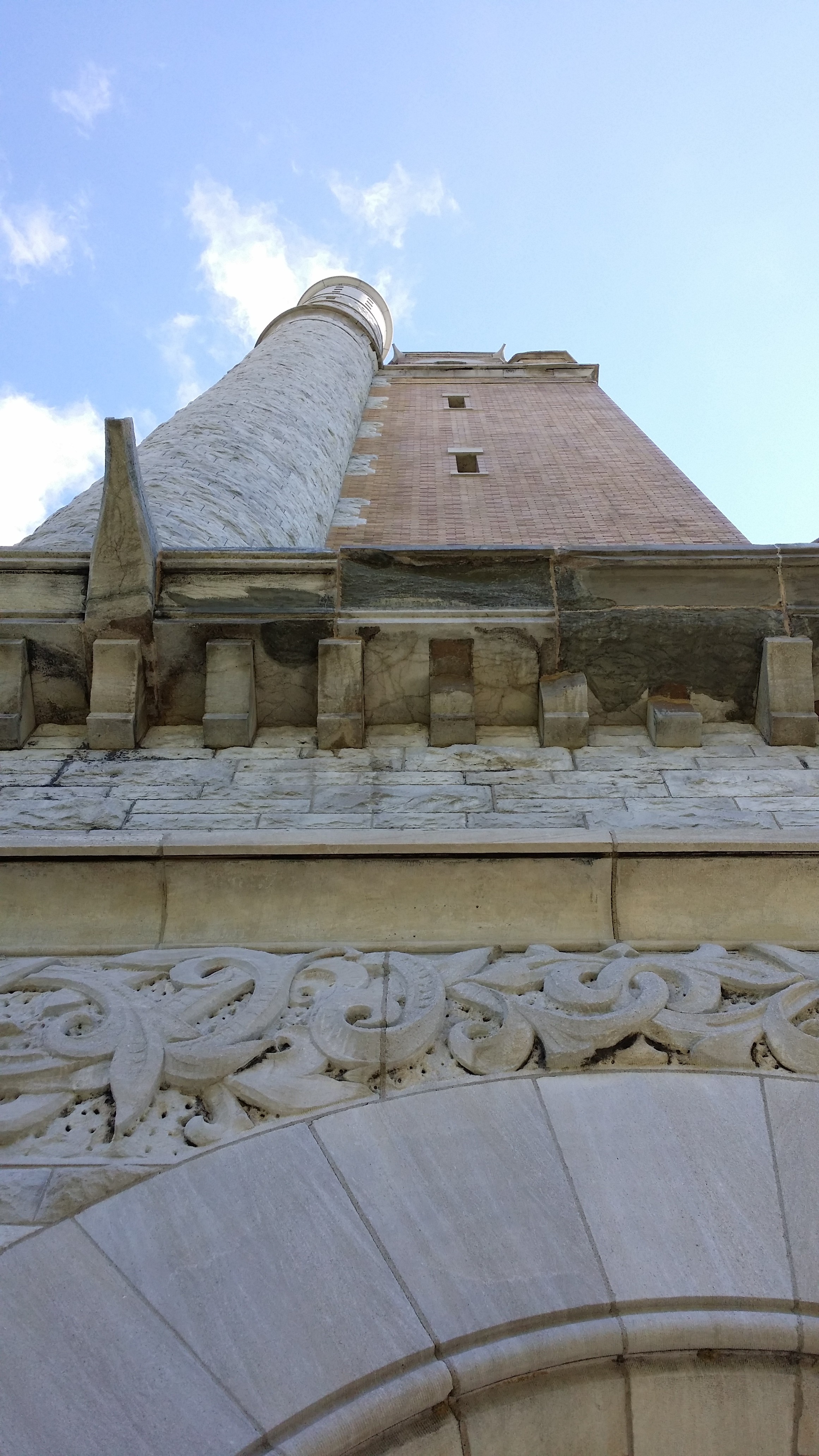
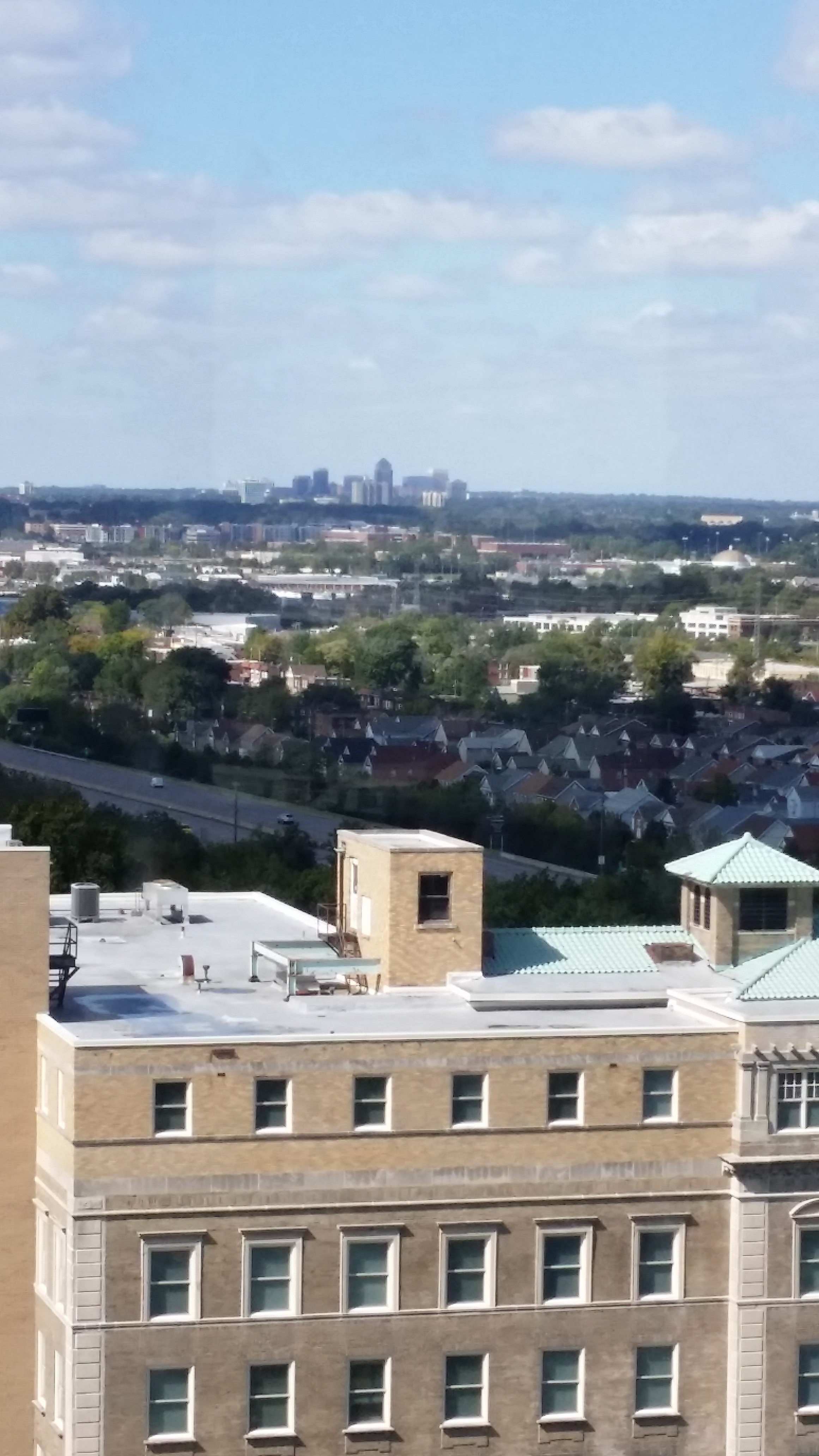
Finally the tower opened, and we climbed the 198 spiral stairs to the top.  The view from the top was amazing, and I was able to see many buildings and landmarks I’d been studying on Built St. Louis and elsewhere from up top.  It was definitely worth the climb, and I highly recommend any St. Louis lovers, architecture lovers, history lovers, or cardio lovers to check it out for themselves.  Pictures below.
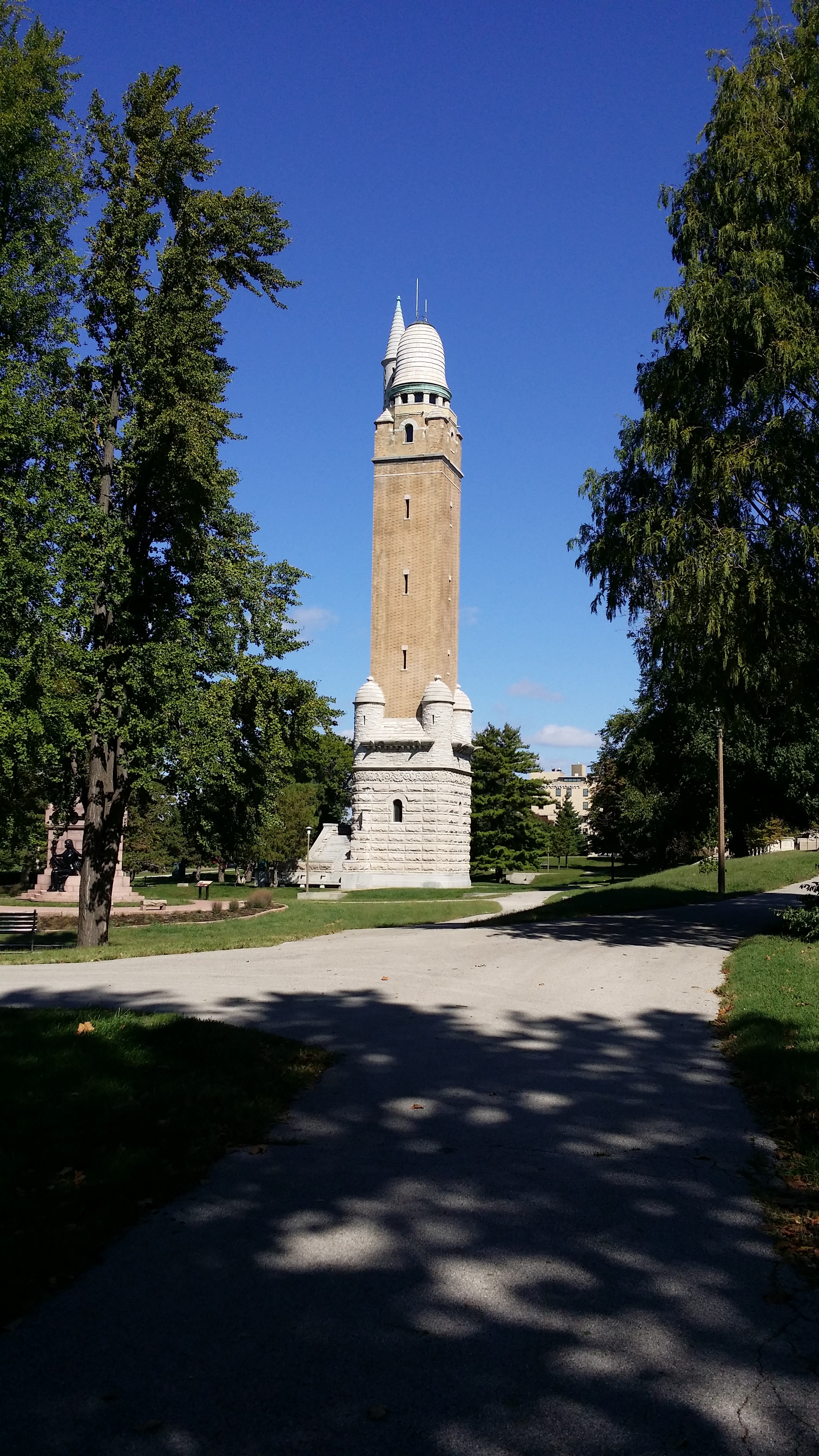
Compton Tower from the West
Compton Tower from the West

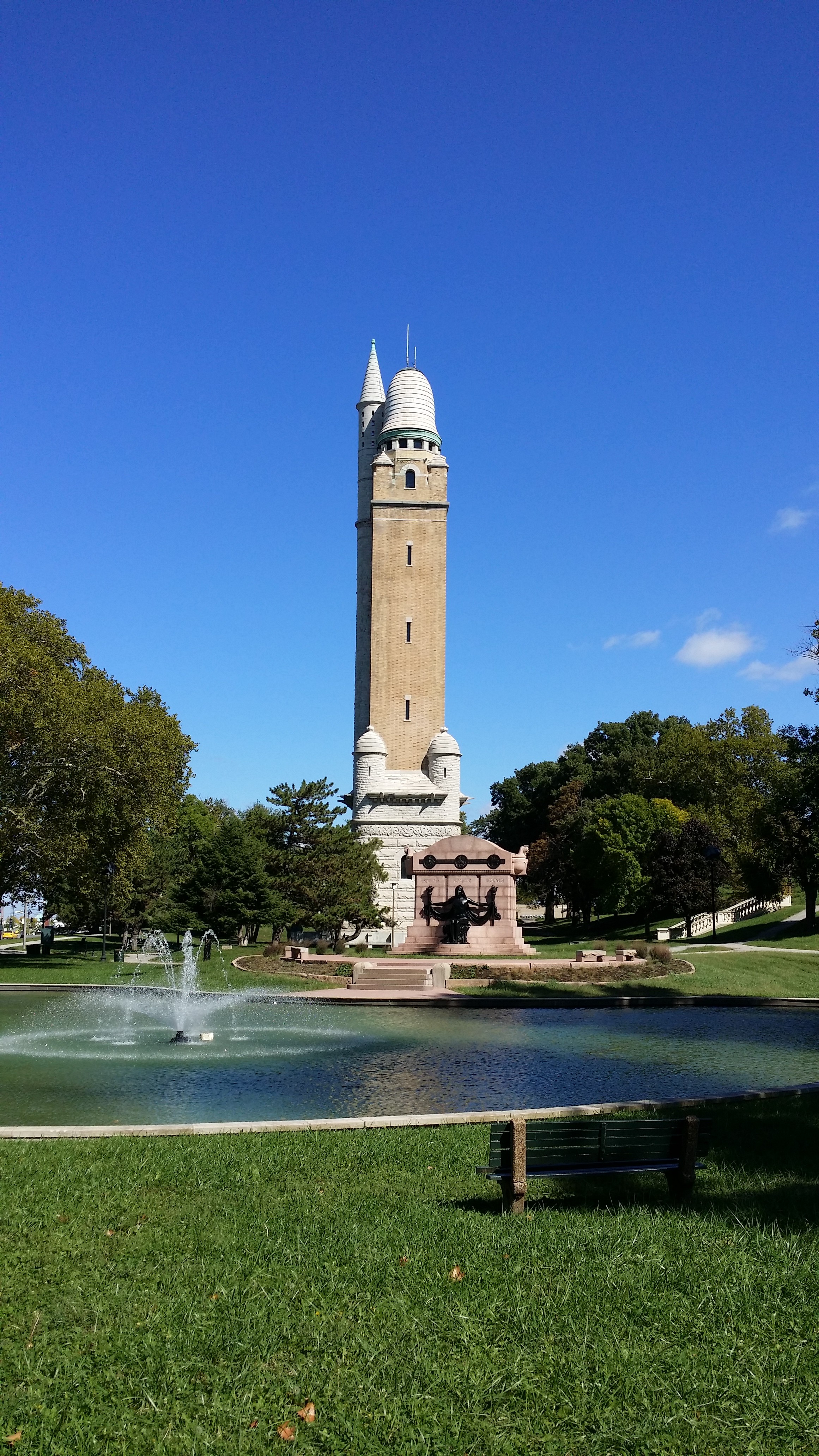
Compton Tower from the South
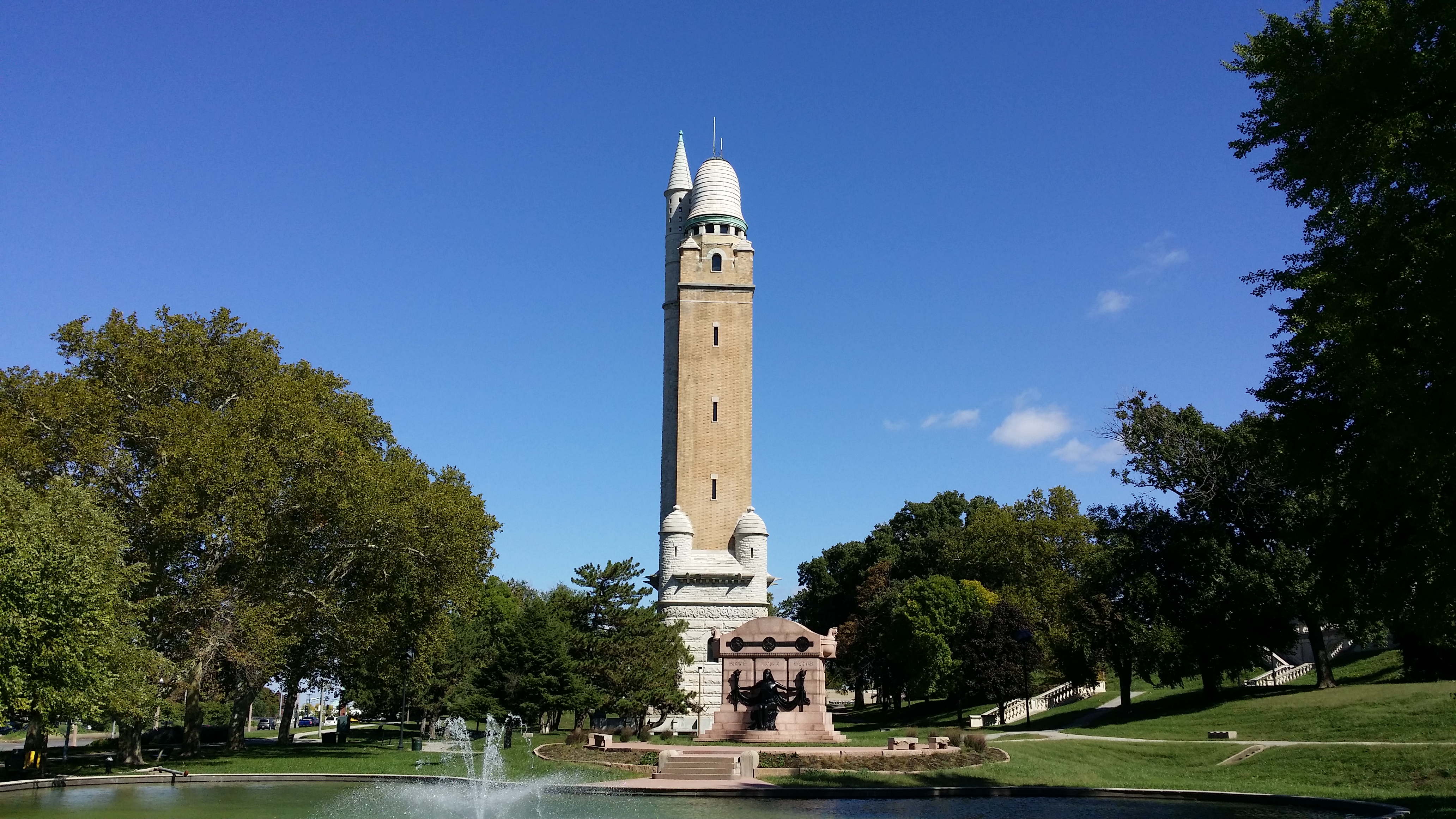
Compton Tower from the South
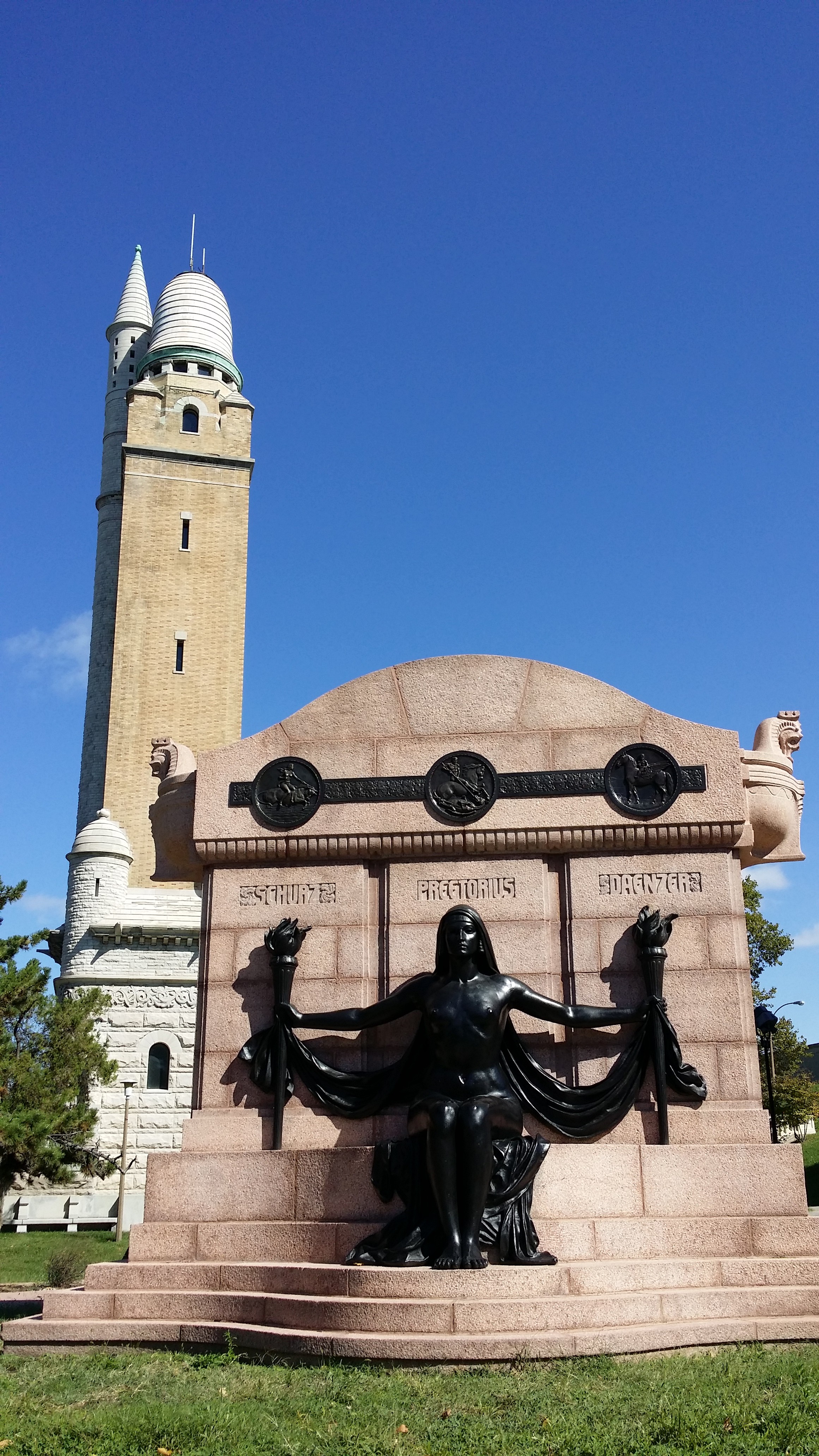
Compton Tower from the South

Compton Tower from the South

Naked Truth Statue

Naked Truth Statue

The inscription reads in part:  “As German-Americans and leaders of their compatriots in public life it ever was their lofty aim and steady purpose to prove true to the land of their adoption and to serve it faithfully and well.  Independent characters striving with ardent zeal for everything that is great and beautiful in life, they brought with them the precious treasures of Germania’s culture and placed them a blessing for all coming generations, in Columbia’s keeping…”
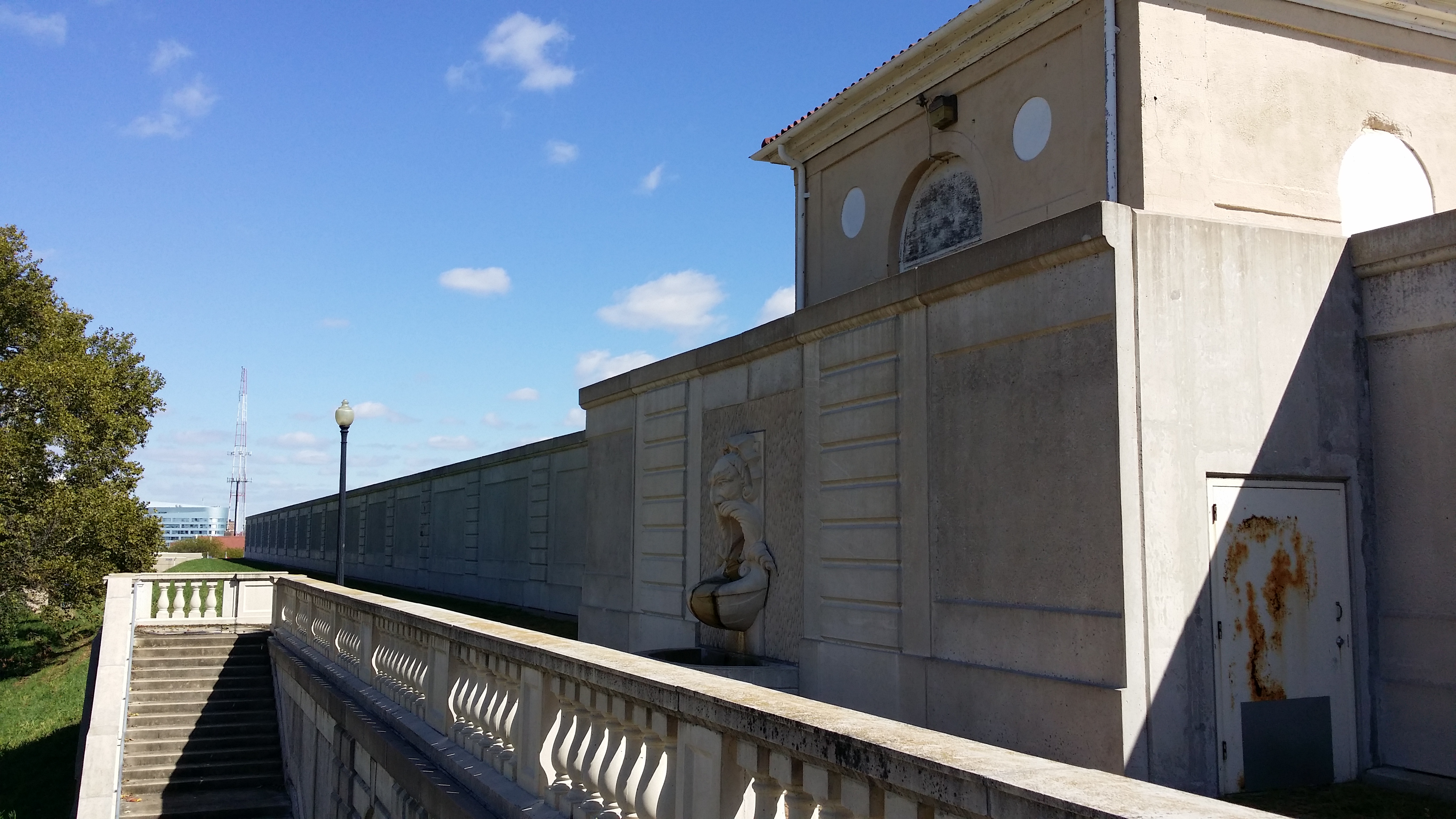
View from the top of the Reservoir

View from the top of the Reservoir

Mustache Fountain
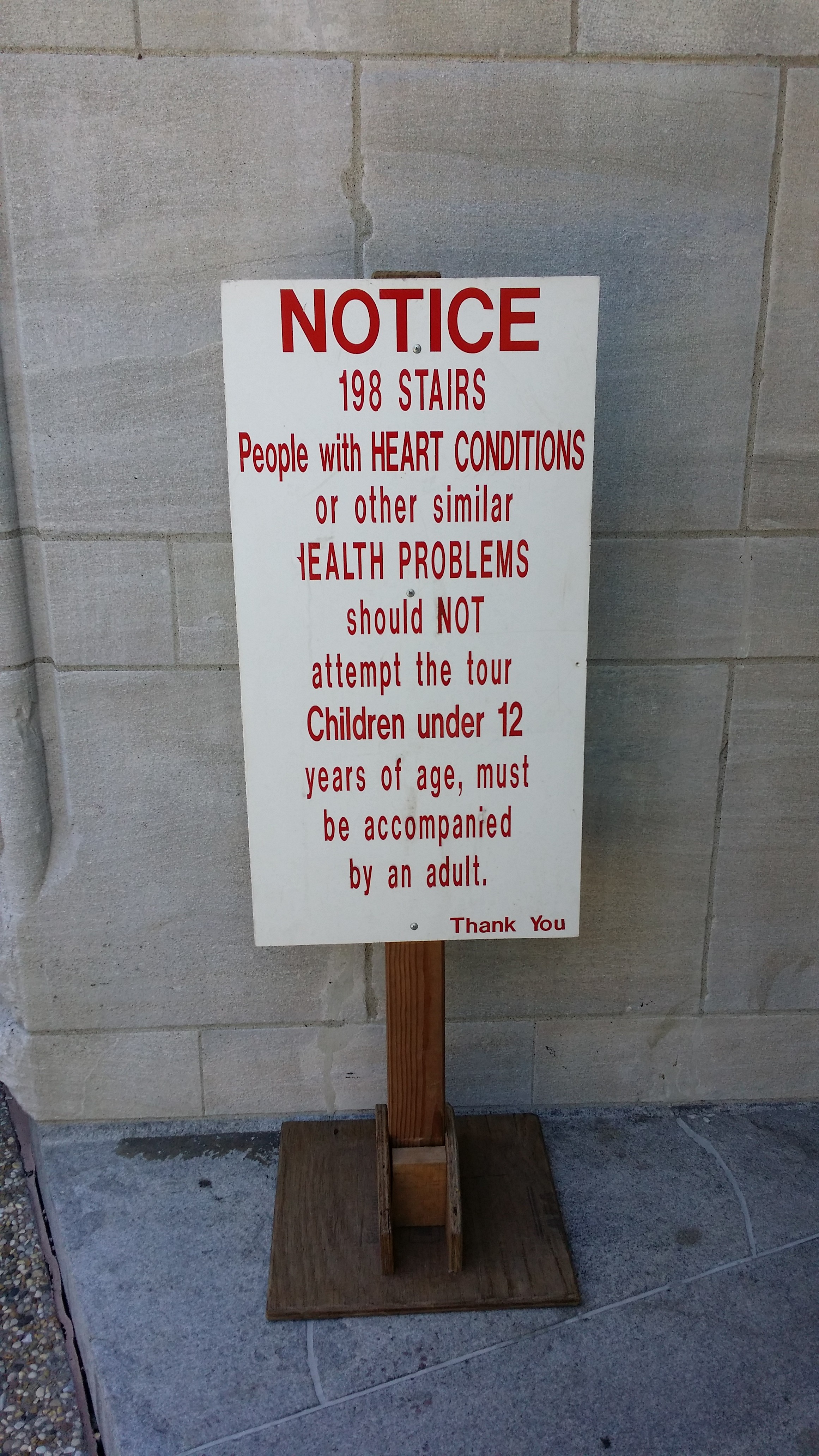
Mustache Fountain

198 Stairs

198 Stairs

Looking up from the entrance to the Tower
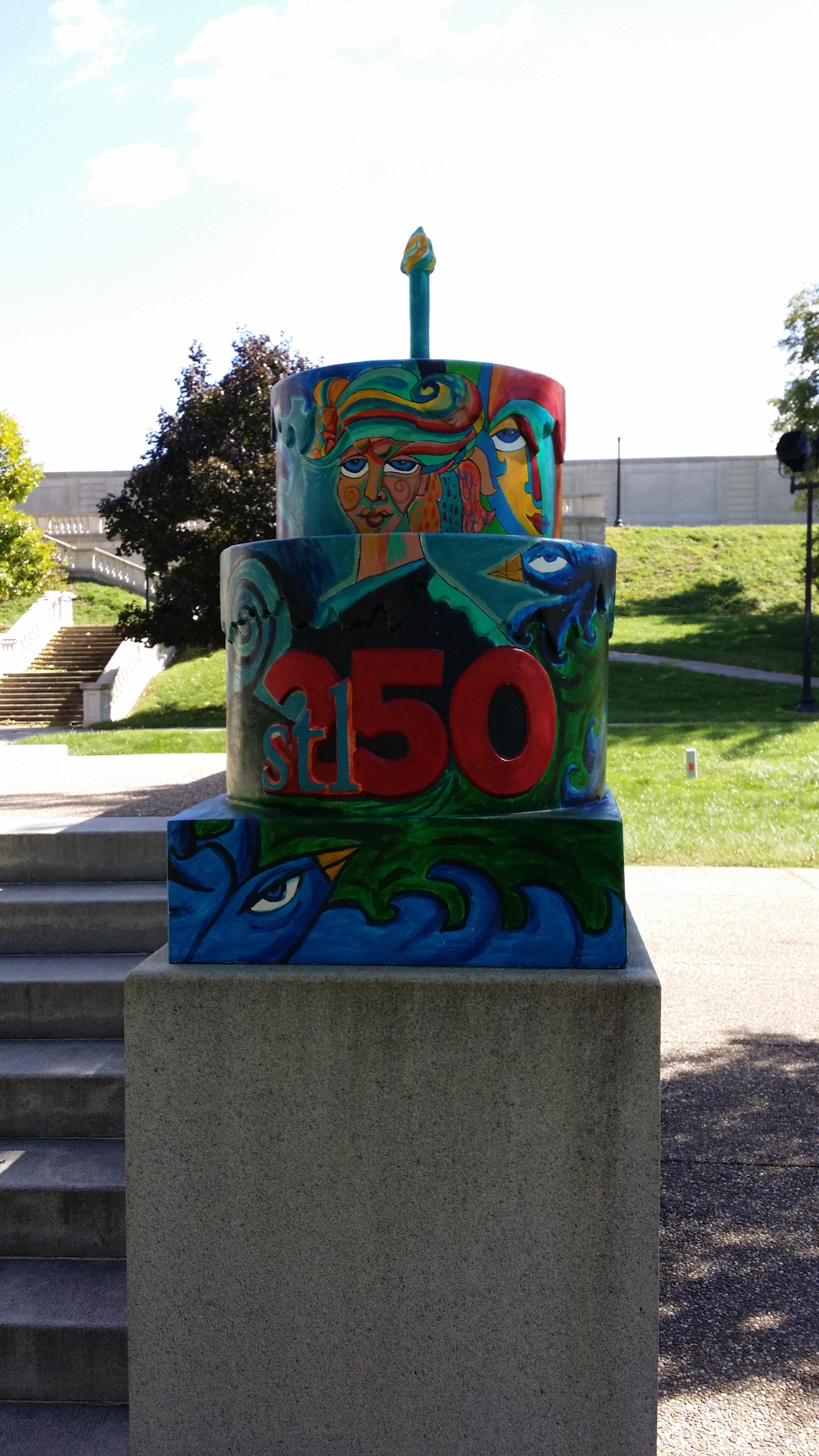
Looking up from the entrance to the Tower

STL 250 Cake at the Water Tower
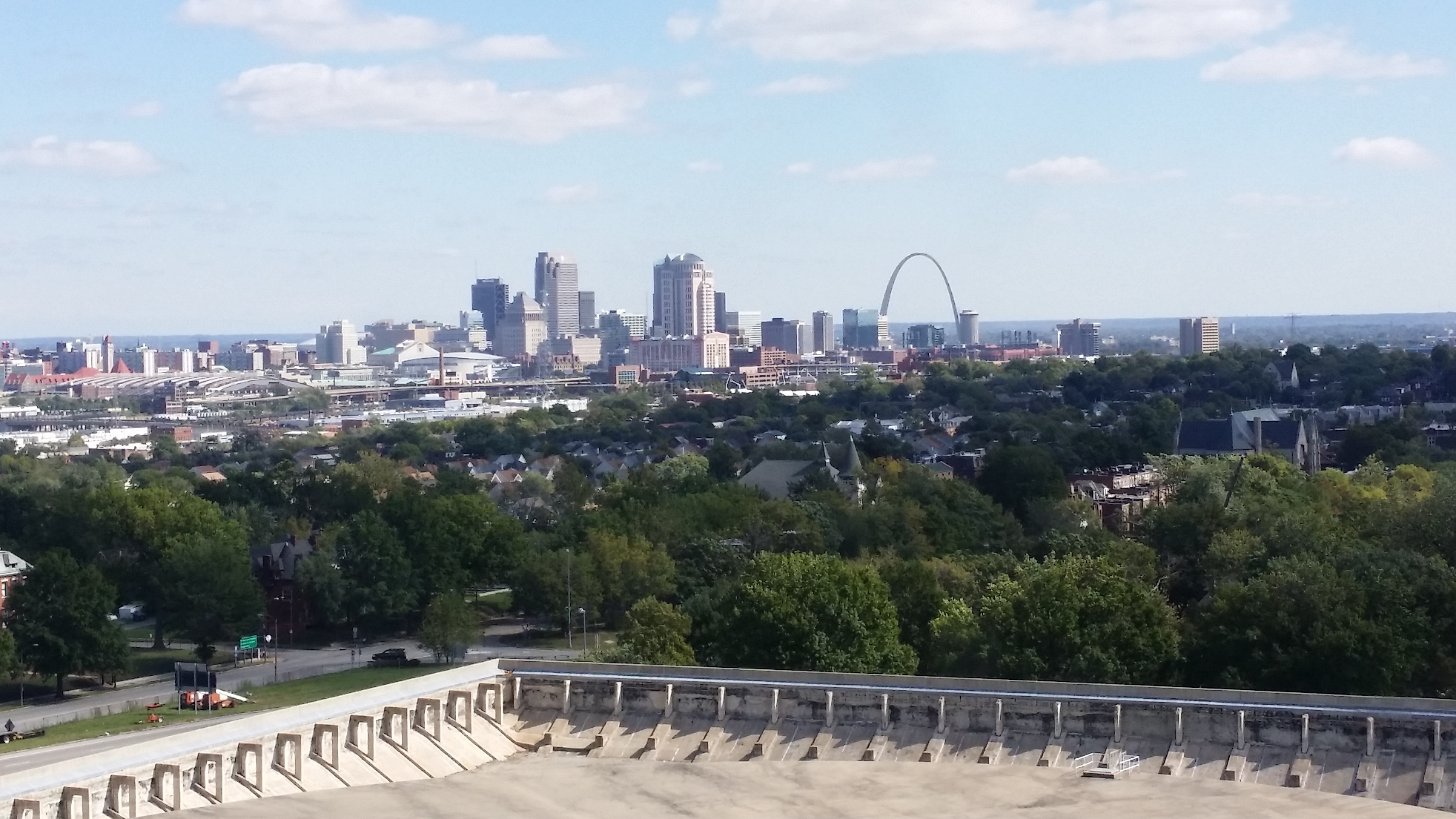
STL 250 Cake at the Water Tower

View of Downtown from the Top of the Tower, and the Reservoir Below
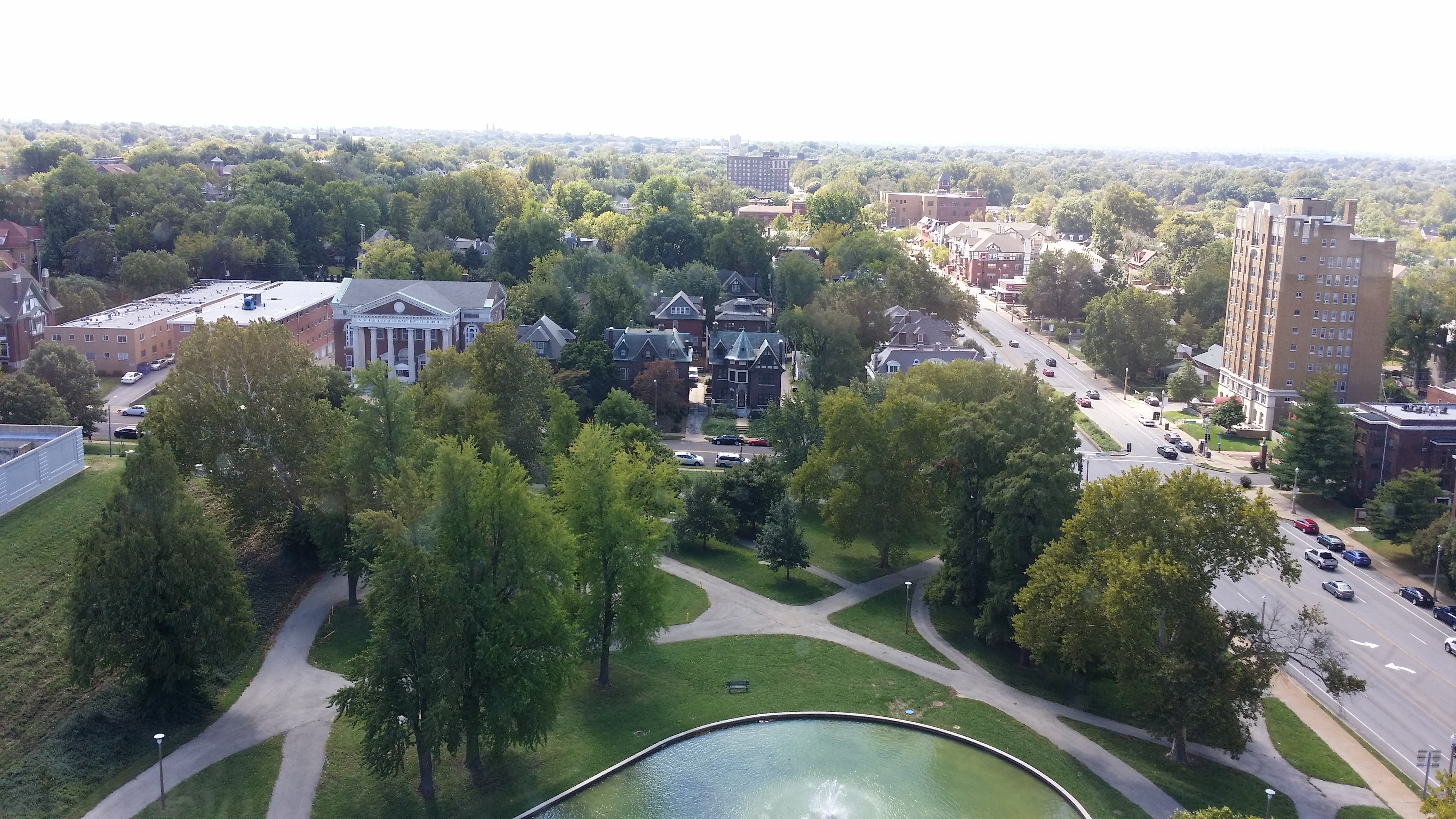
View of Downtown from the Top of the Tower, and the Reservoir Below

Compton Heights Neighborhood
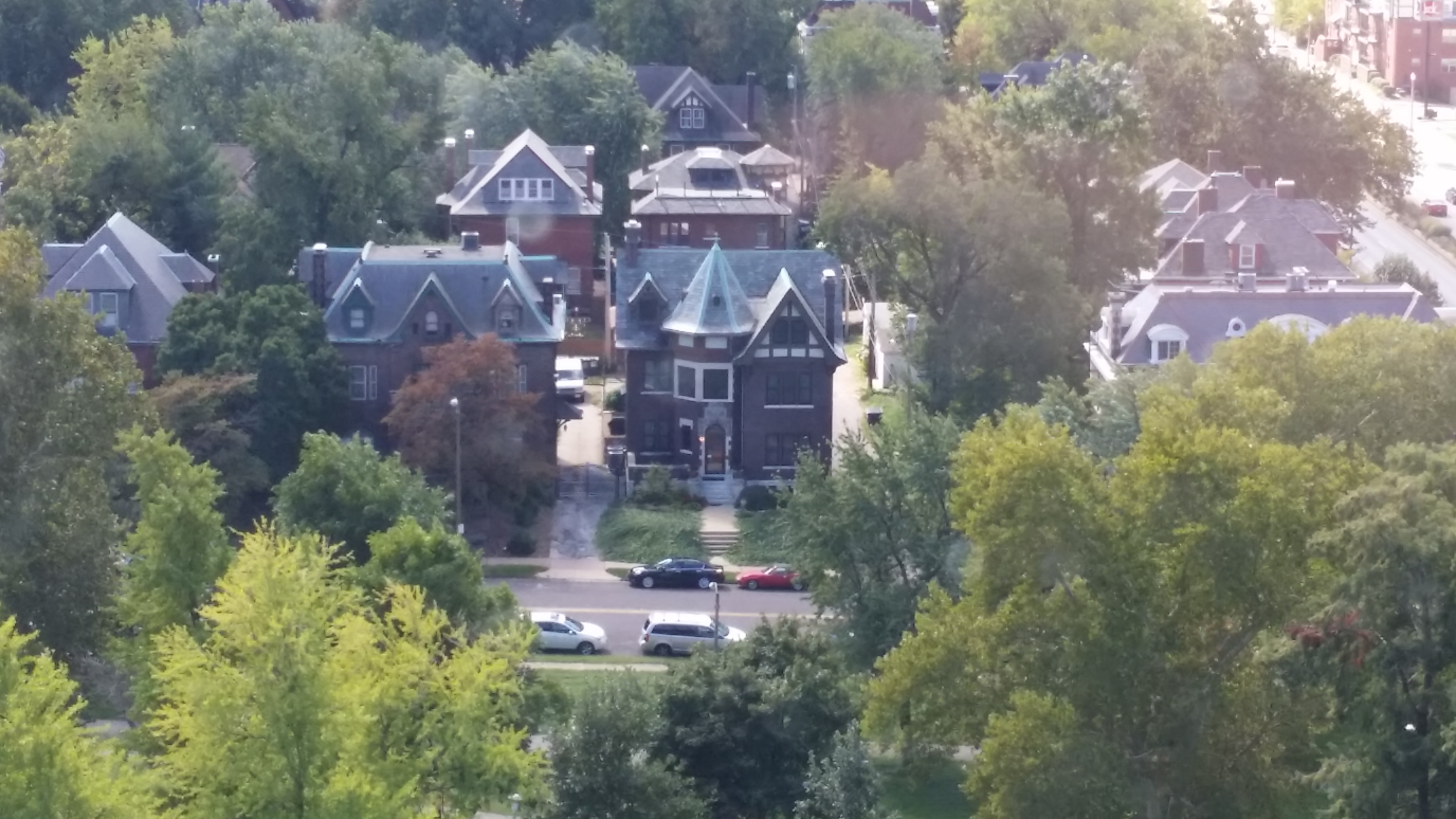
Compton Heights Neighborhood
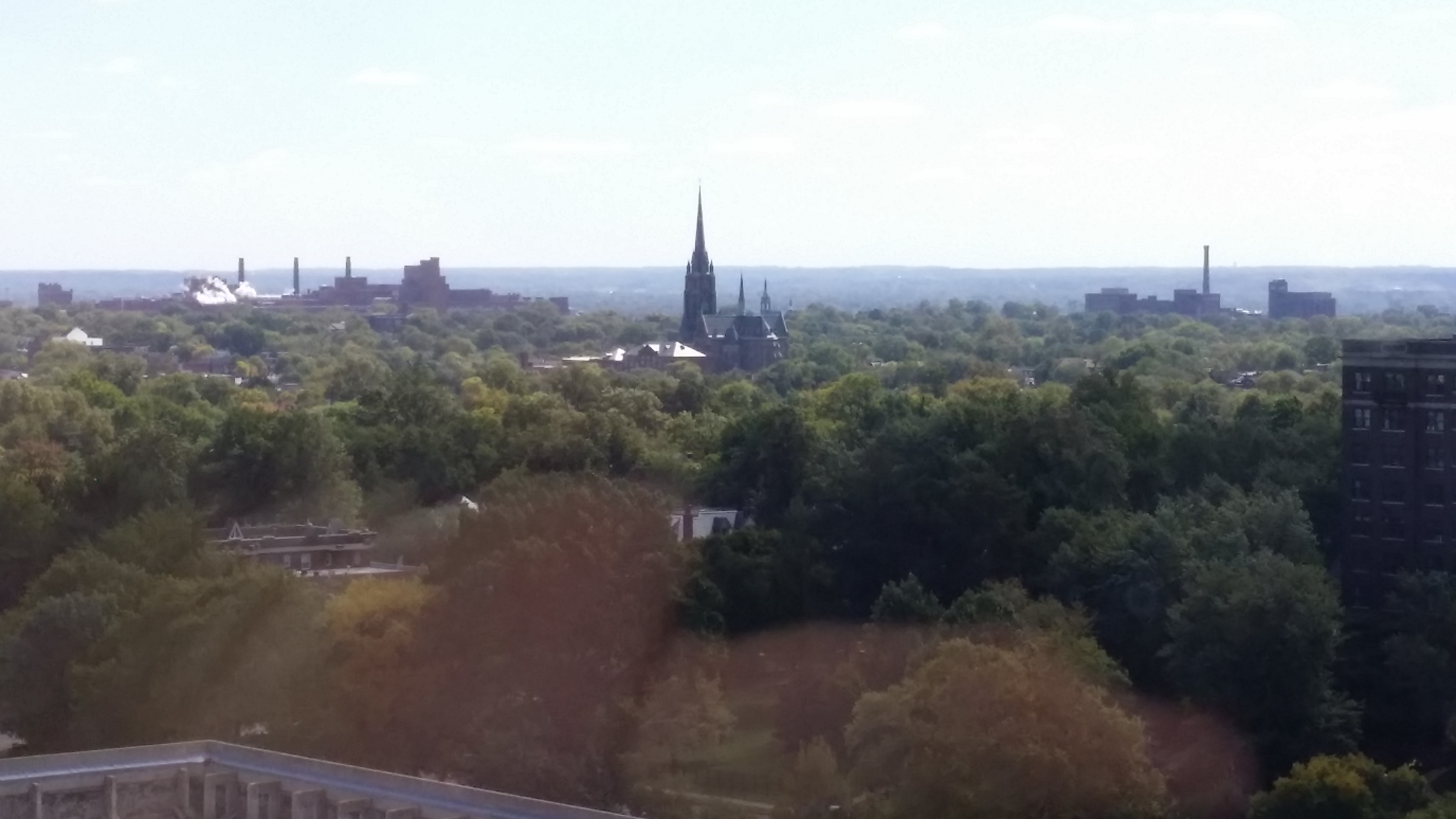
Compton Heights Neighborhood

Compton Heights Neighborhood

South St. Louis, Annheuser-Bush and Lemp Breweries visible
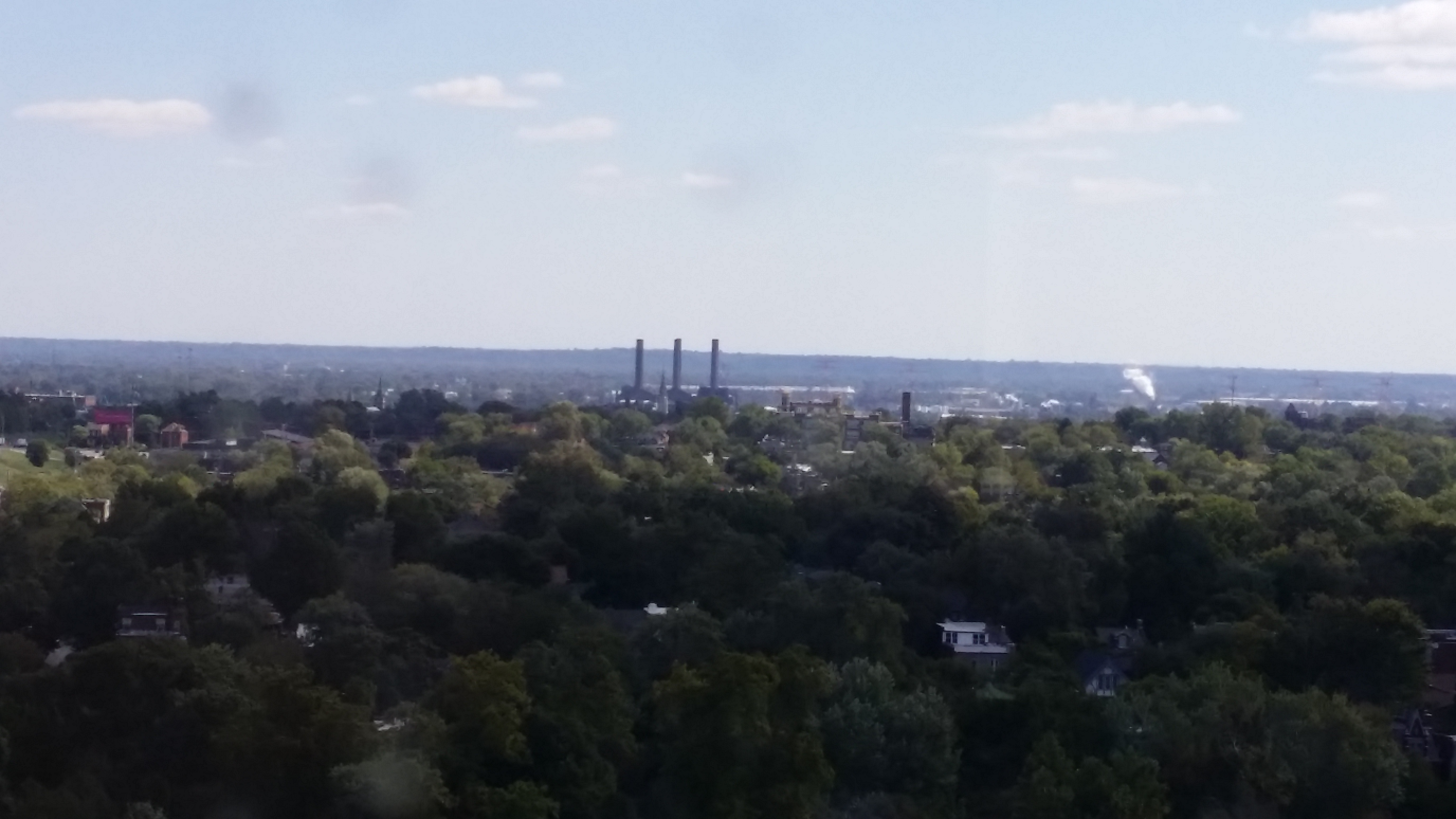
South St. Louis, Annheuser-Bush and Lemp Breweries visible

Cahokia Powerplant
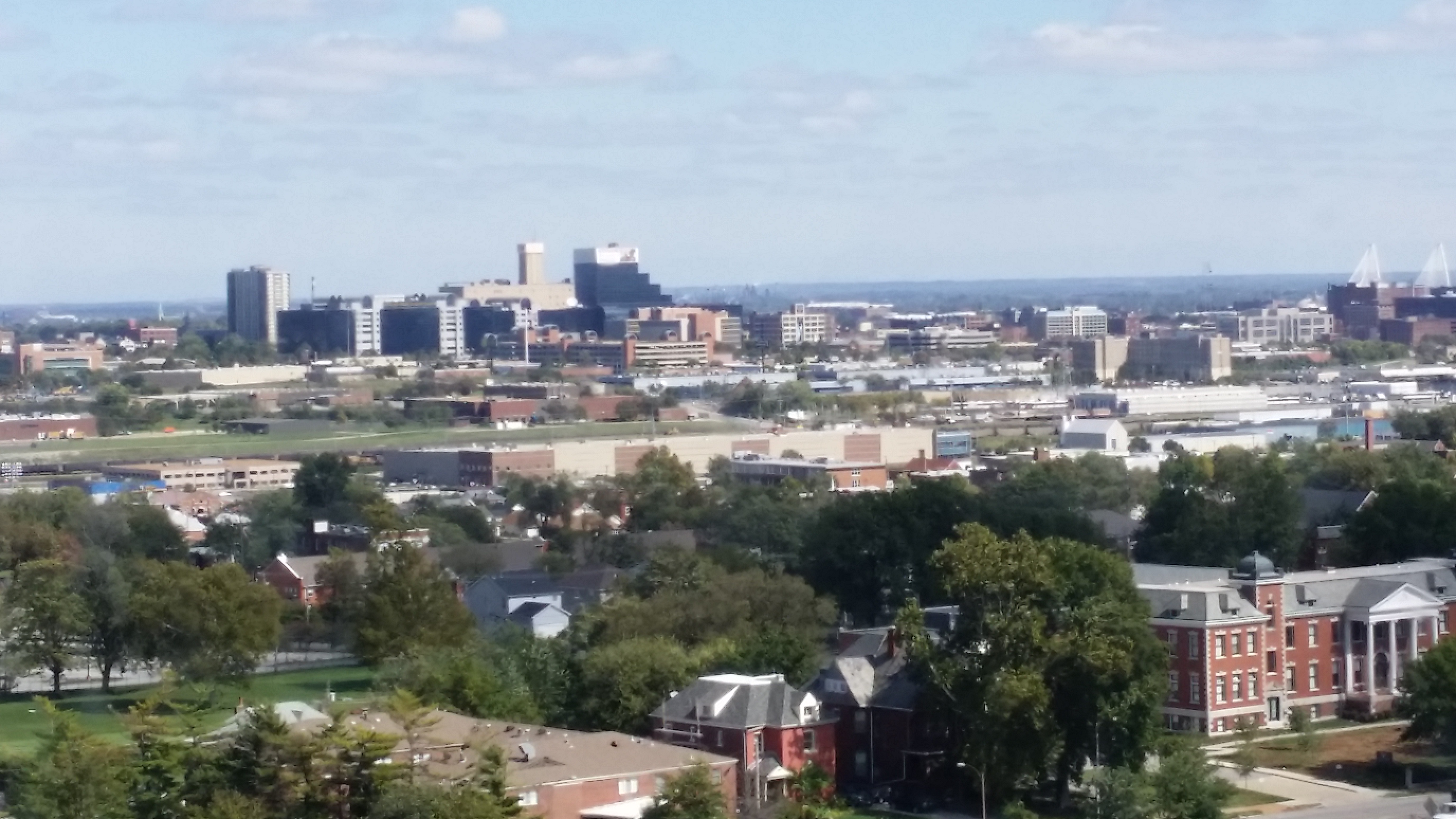
Cahokia Powerplant

20141004_120930

Downtown Clayton in the Distance, looking West

Downtown Clayton in the Distance, looking West
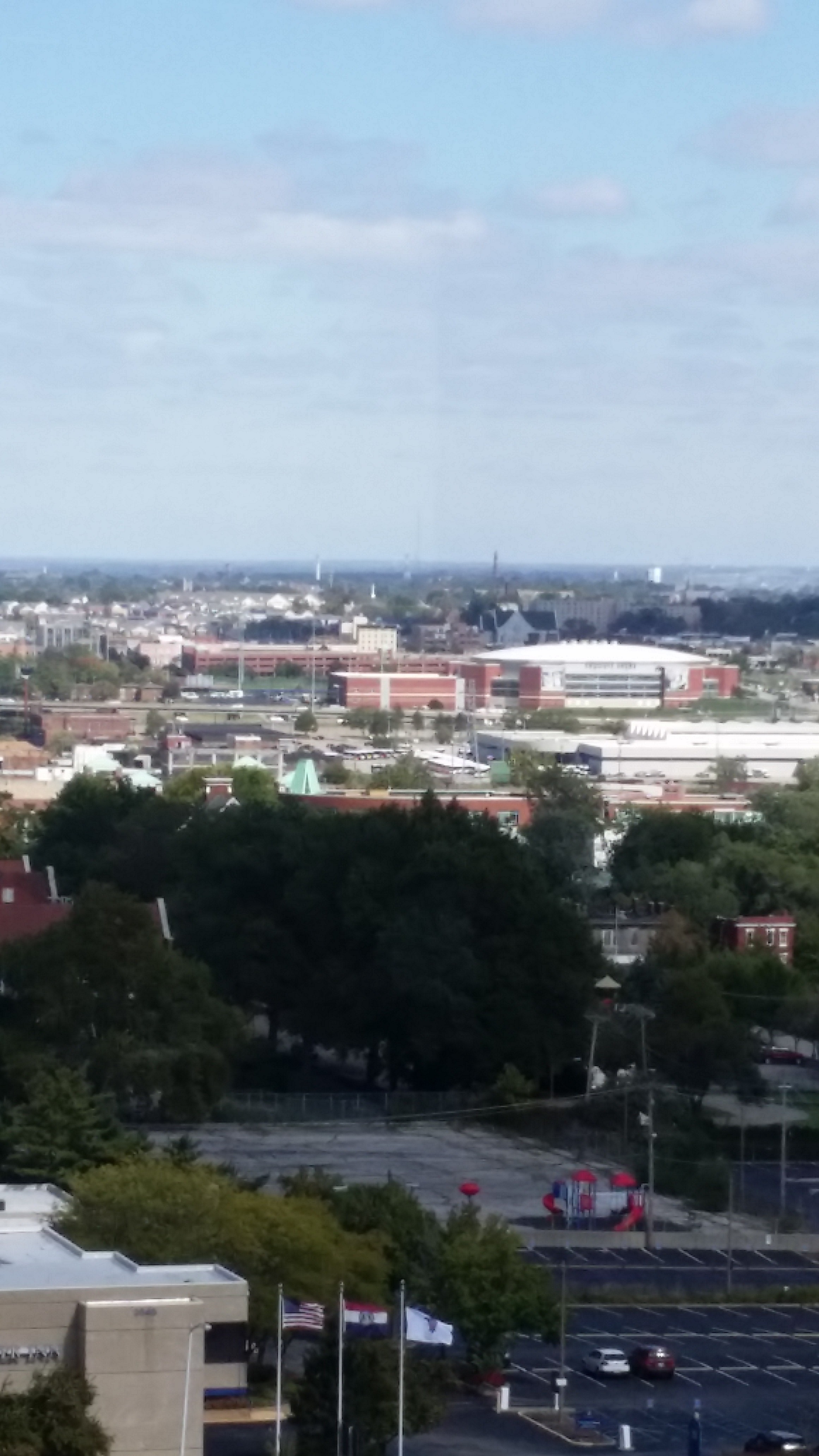
20141004_121036

The Bissell and Grand Avenue Towers tiny blips in the distance, looking North
The Bissell and Grand Avenue Towers tiny blips in the distance, looking North

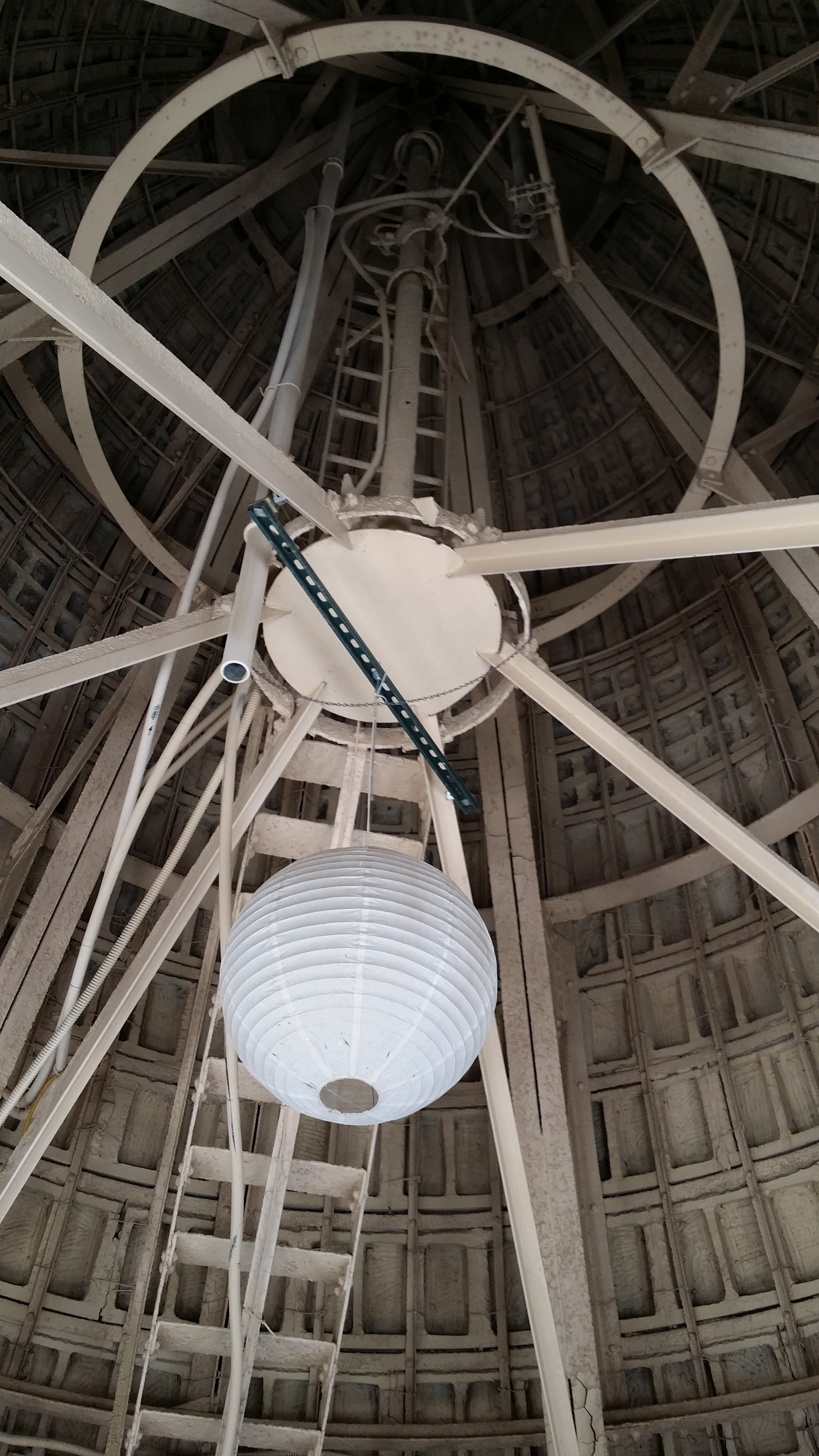
The Top of the Tower

The Top of the Tower

For more and better pictures of all three water towers, check out the Water Towers section of Built St. Louis.
Adventures in Linux – MacBook Pro

Several years ago I wrote a post called “Why I’m Buying a Mac.” I never ended up acting on that impulse, mainly because I was getting by just fine with my collection of aging Windows PCs on which I was dual booting with Linux, and mostly never even accessing Windows.

My wife had a Mid 2009 MacBook Pro that she had bought new many years ago. During her last semester of college, she frequently borrowed my Lenovo laptop to use MS Office 2013, which had programs she needed for both school and work that worked better for her purposes than Office for Mac 2008 was. I was glad to lend her the computer when she needed it since I could get by on my older computers for my needs during these short periods.

Eventually, her MacBook became essentially unusable. The 160 gb hard drive was full to the point only a couple hundred megabytes of space were unused and Google Chrome was unresponsive. Because of this, Shannon needed the Lenovo more and more to be able to get things done.

**Shannon (The Editor)’s Note: I did not like Window’s better than my MacBook! I worked as an admin and had to use windows so I got used to the Microsoft Office that windows supports. For those of you who don’t know, Microsoft Office SUCKS on Mac because the software is so out of date; it hasn’t been updated since 2011. I got spoiled on MS 2013/Office365

Hardware/Software Upgrade

We struck a deal, I’d trade her my Lenovo, probably the best computer I’d ever owned hardware wise, for the 5 year old (at the time) MacBook. In addition to the expansive 160 gb hard drive, the MacBook featured 2gb of RAM and a 2.26 ghz Intel Core 2 Duo processor. I went down to Microcenter in Overland Park and bought a 1tb hard drive, two 4 gb sticks of RAM and an external hard drive enclosure.

There are little pegs sticking out of the original MacBook hard drive I haven’t been able to remove, and I don’t know what to search for to find more to buy some, so the 1tb hard drive is just kind of sitting in the bay unsecured. Not ideal. I’ve still got to find a solution for this. I attached the old hard drive to external enclosure, but couldn’t actually enclose it because of the pegs that won’t come off. The computer was able to boot into recovery from the old hard drive now in the external enclosure, and using the tools within I was able to install OS X on the new hard drive.

It booted up, and I upgraded from OS X 10.9 to 10.10, which took a little way to download on the free version of Google Internet we employ. Great, so now I’ve got a clean MacBook Pro with a huge hard drive, what to do with it?

What to Do?

Well, triple booting with Linux and Windows was clearly the answer. I did a bit of research and installed rEFInd boot manager to make life with multiple OSes easier. Then I repartitioned the hard drive into three partitions of equal size. I could’ve probably just had one big logical partition to share among all 3 OS installations, but didn’t end up doing it that way.

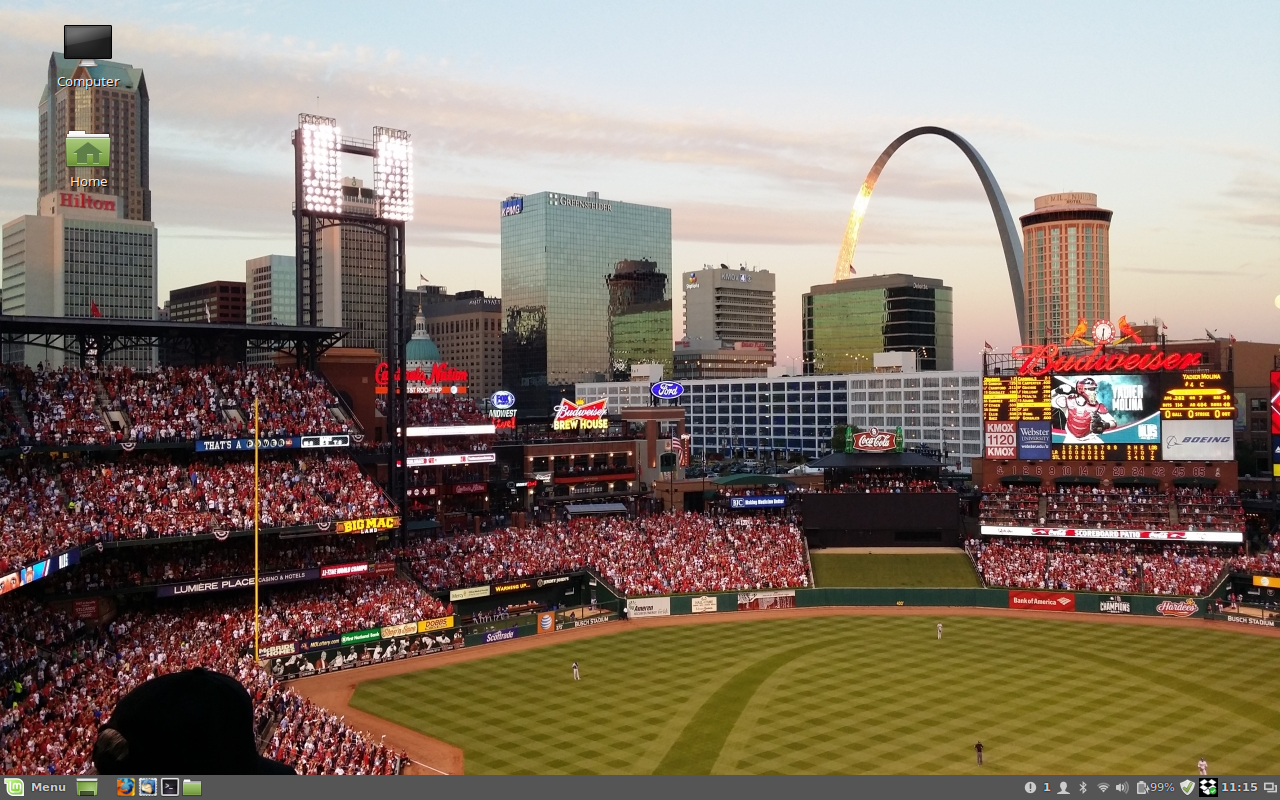
The next step was to install Linux. I wanted to use Fedora, which is my distro of choice for now. Unfortunately I couldn’t get the GNOME or Xfce version to boot on the MacBook at all. I tried Googling for a solution, but none presented itself. I’m sure there’s a way to make it work, but I didn’t find one or post on any forums or anything. I decided to see how Linux Mint would handle the MacBook, and it booted up and installed like a champ, even giving me a tool to install proprietary drivers for the wireless and graphics cards. I haven’t used Mint in a while because in my mind it’s too “easy” and I just really like Fedora, but I had used it quite extensively back in college. I ended up going with the default Mint 17.1 over LMDE since the Debian Edition didn’t include the tool to add the proprietary drivers. It was probably something I could’ve installed from the software manager, but I didn’t really look into it since Mint 17.1 will be supported until 2019. It’s pretty unlikely I’ll still be using this computer by 2019, and I’m sure I’ll do some distro hopping between now and then anyway, so the benefit of a rolling release like LMDE isn’t a huge loss for me in going with regular old Mint.

Linux Mint

Linux Mint

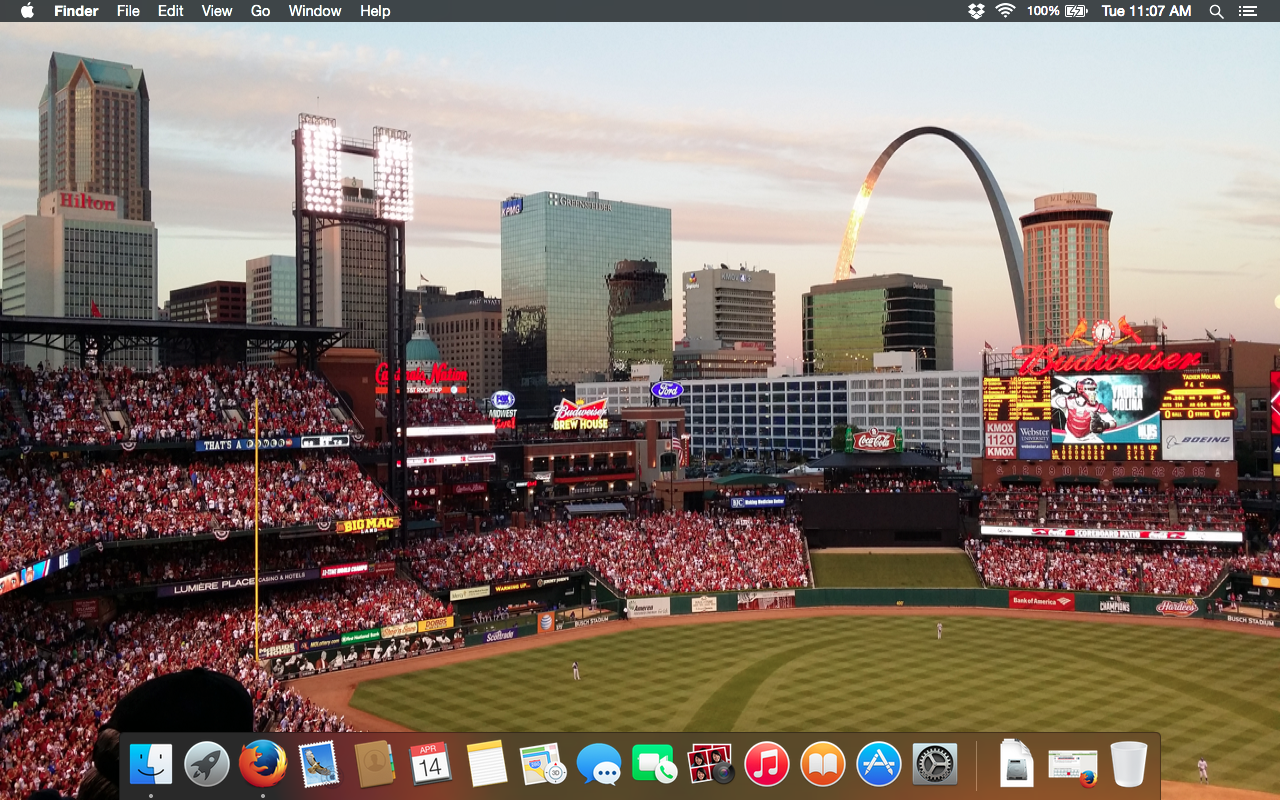
Mac OSX Screenshot

So far I’ve been too lazy to install Windows 7 on the third partition. I think I read somewhere that I’ll need a driver’s disk that would’ve come with the laptop when my wife originally bought it, so if I run across that, it should make things easier.

Impressions

If I had to describe my experience with the MacBook Pro so far, I’d say “meh.” The hardware is nice enough. Figuring out the key sequence to take a screenshot on the Mac took some Googling, as well as to set the same key sequence under Linux.

Ultimately OS choice is up to the individual user. I don’t find myself enjoying the Mac experience. The way programs stay running even if you close the window instead of that exiting the whole program is kind of weird. All over Apple’s website they talk about how OS X is the most advanced operating system in the world. Well, the interface is probably the most tired. Sure, in 10.10 everything went to “flat” icons rather than 3D, but the basic look of the whole OS has been about the same since 2001.

I also found that I have no interest in using all the default Mac software such as iTunes, iCalendar, and iWhatever else. I found myself installing the same software on OS X that I have come to use on Linux, and also on Windows when rarely I use Windows. If others want to close themselves up within Apple’s “walled garden” they’re free to do so, but it’s not for me. Maybe if I had an iPhone, an iPod, an iPad, and/or an Apple TV, or had stayed within the Apple universe I grew up in back in the 90s longer, I’d be more inclined to get back into it now.

Next Steps

The only thing I’ve noticed that doesn’t work on the MacBook under Linux Mint is the webcam. I’ve done research on how to get it working, but haven’t had any success. I would like to get Fedora to work on here because it’s really my preferred distro. At some point I also want to get Windows installed as well. Finally, the computer really needs a new battery as well. The old original battery lasts maybe an hour and a half.

**Shannon (The Editor)’s note: after conversing with Russell in regards to the webcam issue, it has became apparent that the webcam has been broke for a long time so the issue cannot be blamed solely on LM.

Thoughts?

Have you used Linux on a MacBook? Were you able to make triple booting work? Do you have any advice?

Own Your Name

This concept didn’t originate with me, and I can’t find the site(s) where I originally read about the importance of owning your own name online.  I’m not trying to take someone else’s idea here, just emphasize the truth behind the idea.  You need to own your own name online.

I realized a long time ago that you need to own your name in the form of a website.  I own basically every variation of russellhollander I can get my hands on, .net, .biz, .us, .org, .whatever.  I bought these domains so I don’t have anybody else out there operating under my name.  Not that anybody would do so maliciously, but if they are also named Russell Hollander.  Well, I was here first, and that’s going to be me.  You can find a different name to operate under online.  Someone else before me got rhollander and hollander, so I took russellhollander.

I hadn’t considered how this same logic applies to social media though.  Honestly I find social media kind of tiring.  I maintain a Facebook and a Twitter, but I don’t particularly care for them.  I keep FB going because I’ve got a ton of friends on there from college, and don’t have another way of being in touch with them.  I guess I could get their phones and email addresses, but it’s easier to just let FB handle all that for me.  I keep it pretty locked down though.  I kind of view Twitter as my public face on social media, but I barely send out any tweets.  I mostly use it to just keep track of news.  I guess I have a Google+ as well, don’t do anything with that.  Oh yeah, and Linked in.  Guess I should make better use out of these things.

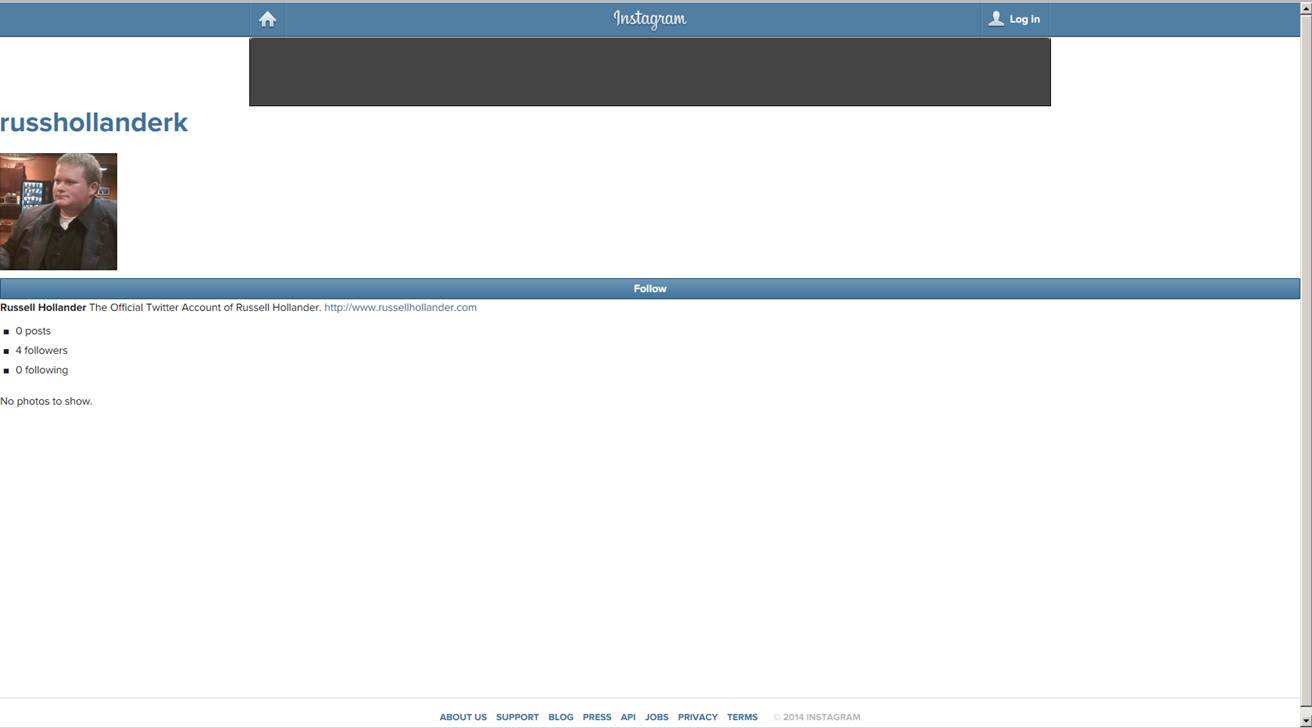
But the Instagram Imposter episode has taught me that you need to own your name on social media too, even when it is annoying.  I don’t know anything about Instagram other than Facebook owns it.  Yet some miscreant got on there, set up an account with basically my name, stole my photo from Twitter, and at least had the decency to also post this web address.  I can’t really see that the person did anything with the account.  No activity.  I would’ve never even known about it unless a couple friends of mine told me they were following me on there.  Well, you can’t follow me on Instagram as of this writing, because I don’t use an Instagram.  But maybe I should.  Someone else is out there pretending to be me.  I can’t have that.

In the end, Instagram removed that account, so for now the issue is resolved.  I’d still like to know if it was a person creating that, or if Instagram somehow scrubbed publicly available data and made that account to inflate their numbers, as was suggested by a friend of mine in the web design, SEO, and marketing business.

The whole point I’m rambling towards is that you probably should have an account for yourself with these services, if nothing else so your presence on the web is actually coming from you.  Most of us are insignificant enough no one would bother to take our names or try to pretend to be us, but I don’t know why you’d even give out the opportunity.  Maybe that’s a paranoid way of looking at things, but I’d look at is as proactive.

Someone Is Impersonating Me on Instagram

I don’t have an instagram account.  If you go to www.instagram.com/russhollanderk you will see an account using my image and listing my website address.  I did not set this account up, and this is not me.  I am not this person.  I found out about it when friends of mine in the real world told me they were following me on instagram.

Instagram’s “help center” or whatever is being anything but helpful.  In addition to having no phone number or email address or whatever, their annoying form to dispute this account isn’t working.  And they’re demanding that I send them color photos of government issued IDs.  Well, I don’t like that, but I’m trying to do it.  And they won’t let me.

The impersonator doesn’t appear to really be doing anything.  I’m wondering if Facebook just decided to create this account for me.  If that’s the case, they need to let people know they’re doing that.  Instagram needs to make their support and help pages actually useful.

I’ll post another update whenever this situation resolves itself, if ever.


Update 10:42

I think I finally got the form to submit on the official instagram help page, so hopefully the ball is rolling.  I also tweeted @Instagram and @Instagram help to try to move things along.  I have a feeling I’ll get faster action that way hopefully.  I’m sure the Instagram app and website are dandy, but I don’t use that service, and don’t want anyone using my image, likeness, and name out there.  People that do use Instagram love it, and I’m sure their support is good, and the problem I was having submitting the dispute form was on my end.  Further updates to come.


Update 10:51

Got an email from the Instagram support after submitting the form finally worked.  I emailed them back with the exact same info I had submitted, just to be sure.  I’m sure they’ve got the ball rolling now.  Hopefully this will be done quickly.  Below is a screenshot of the imposter account, just for fun.

Imposter


Update 10:57

Just an observation, not really a development.  The Instagram dispute form wanted color copies of a government issued ID where they can clearly see my name and so forth.  Well, in addition to my driver’s license, I keep my passport in my work bag.  My girlfriend thought it was weird to have that on me.  Maybe that isn’t smart, but I always know where it is.  And it came in handy today.  I know I’m me, and I have two forms of gubmint ID to prove it, basically at all times.  I’ve got my social security card on me too, come to think of it.  Right behind my fishing license in my wallet.

Update 4:30 on 4/19
Overnight I got an email from Instagram saying the fallacious account was deleted. They didn’t elaborate on whether an individual was responsible, or if it was something created automatically, which is a theory that seems more and more likely. Also, I’m making this update from my phone. This is my first time using WordPress as an app on my phone. Seems pretty good so far.

2011 Review

2011 was my first full year of post-college “real life.” In many ways this was a year of beginnings, and for me it was a very good year. I thought I would do a little summary write-up of some of the significant events in my life during 2011. Later I will do a post on some of my plans for 2012.


I began 2011 with a trip to the Consumer Electronics Show in Las Vegas in early January. I had never been to Las Vegas before, so that was quite an experience in itself. I stopped by the Gold and Silver Pawn Shop of Pawn Stars fame, drove out to the Grand Canyon, and saw many fascinating cutting edge technical gadgets. The weather was beautiful in Nevada, and I was not excited to return to 8 inches of snow covering my car at the Kansas City airport.


The defining element of 2011 for me was starting my first full-time job at Cerner Corporation in Kansas City. I was hired at the end of 2010, and started work in late January of 2011. After a period of training, I joined my AMS team in early April, where I have been working ever since. My team, organization, and the entire company have been growing rapidly this entire year. I’ve made many new friends and gained lots of valuable experience, and I’m looking forward to continuing my career in 2012.


Later in the year, I had an opportunity to get more involved with my church by helping facilitate a Financial Peace University course. Most of the concepts were not new to me thanks to my finance educational background, but Dave Ramsey’s course material is very well organized and simple to understand. After going through the course, I’ve made some important changes in my own saving, spending, and investing habits.


So, those were some of the more important things that happened to me in 2011. Keep your eyes peeled for my next post, which will detail some of my plans for 2012.

February Site Statistics

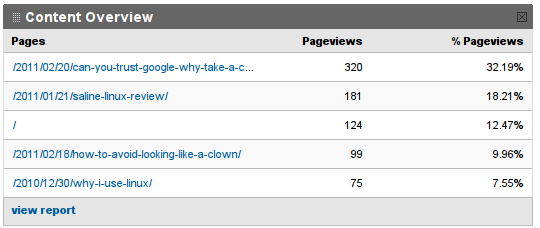
I had two posts this month: How to Avoid Looking Like a Clown and Can You Trust Google? Why Take a Chance?. The Google post was more popular, with 320 page views, but the Clown post generated more discussion. I was pretty busy in February starting my new job, so I didn’t post as much, and this resulted in a drop in traffic. Now that I’m pretty well settled in, I’m going to do better in March. What was exciting for me was the fact that I only promoted either of these pieces through my Twitter, Facebook, and LinkedIn accounts. Previously the only way I got any views was by submitting my work to Lxer, and then others posting it sites like Tux Machines. I’m very grateful for those traffic sources, but I’m glad that people are coming back to my new stuff even if I only promote it half-heartedly. Get excited, because I’ve got some good posts brewing for this month.


Have a good one.

January Site Statistics

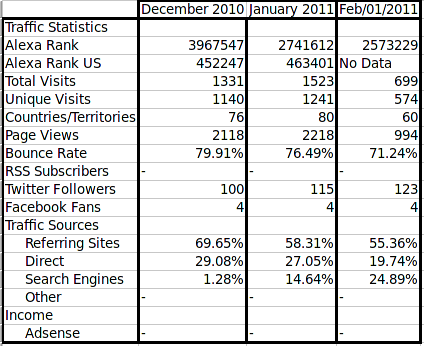
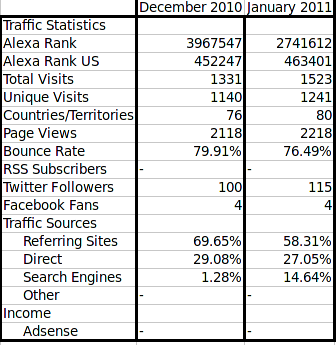
What do you do when it’s 2 degrees outside and the roads are impassable due to yesterday’s blizzard?  Drink some Earl Grey and post your blog stats.  This is my second post on site statistics, this time for the period between 1/1/2011 and 1/31/2011.  During this period I had 1,523 visits from 80 countries and territories.  I’m averaging about 30 visits per day now on days that I haven’t posted articles about Linux.

Once again, the post that received the most attention was one about Linux, this time my review of Saline Linux, which accounts for 1,029 of my visits this month.

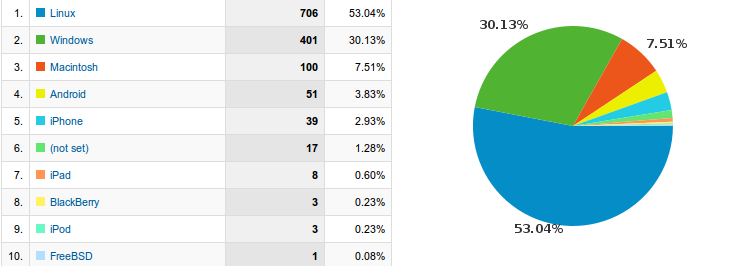
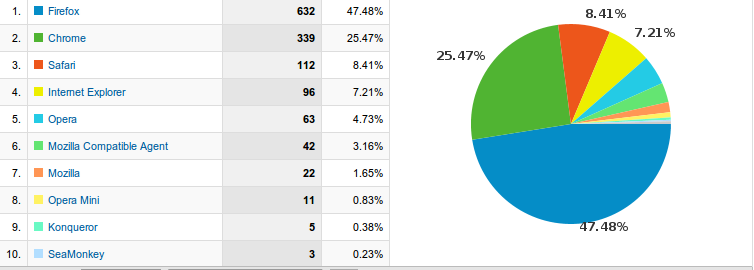
Linux users account for 56.8% of my visitors, whereas Windows users account for 34.14% this month.  Firefox and Chrome are still dominant browser wise at 696 and 447 visitors respectively, with Internet Explorer limpint in at 118, and my favorite browser Opera in fourth place with 95 users.

I met my goal of beating the previous month’s visitor totals, although not by a wide margin.  Here is a table summarizing my site statistics for the last two months.

Site Statistics

So it looks like I need to keep writing about Linux.  And fortunately, I’ve got an idea about to come down the pike in another week or so which should draw some readership.  Still don’t have Google Adwords/Adsense/Adwhatever setup, but I’m not hugely worried about it.

Apparently social media is almost a non-factor in drawing people to my site.  I think on Facebook this is because I only have 4 fans on my fanpage.  It’s even worse on Twitter, where I can’t even average one click per day.  I’m going to have to work on this.

Fan me on Facebook

Follow me on Twitter

Have a good one.

A Trip to the Grand Canyon

On the fourth day I was in Las Vegas, I decided to make good use of my rental car and drive out to the Grand Canyon. I left about 6:30 AM, and Google Maps seemed to think it was going to take about 5 hours to get there. As luck would have it, about 40 miles past the Hoover Dam, I saw a sign for the Grand Canyon Sky Bridge which is located at Grand Canyon West. I turned off Highway 93 and headed for Grand Canyon West.

At some point I went through a depressing looking town called Dolan Springs. It seems like I went about 50 miles up the turn off road, and then another 20 or so down a mostly gravel road over to the entrance to the Grand Canyon West area.

The Hualapai Indian Tribe runs the entire area. I’m not sure if I was on a reservation, or if they converted some other land they owned into this canyon viewing park. I parked, walked into this inflatible gift shop/ticket sales building, purchased the $42 Hualapai Legacy pass (the minimum price and pachage that could be purchased), and boarded the bus to ride over to the canyon. I could have paid $75 to also get to walk on the Skywalk, but I figured the Canyon was pretty big, and I’d be able to get a pretty good view without paying an additional $33.

We bussed over to the canyon, jumped off the bus, and met a couple Hualapai that were hanging out near the first stop. There was no sort of railing or barrier, you could walk straight up to the edge of the canyon, and even jump off if you were so inclined, although that probably wouldn’t have ended well.

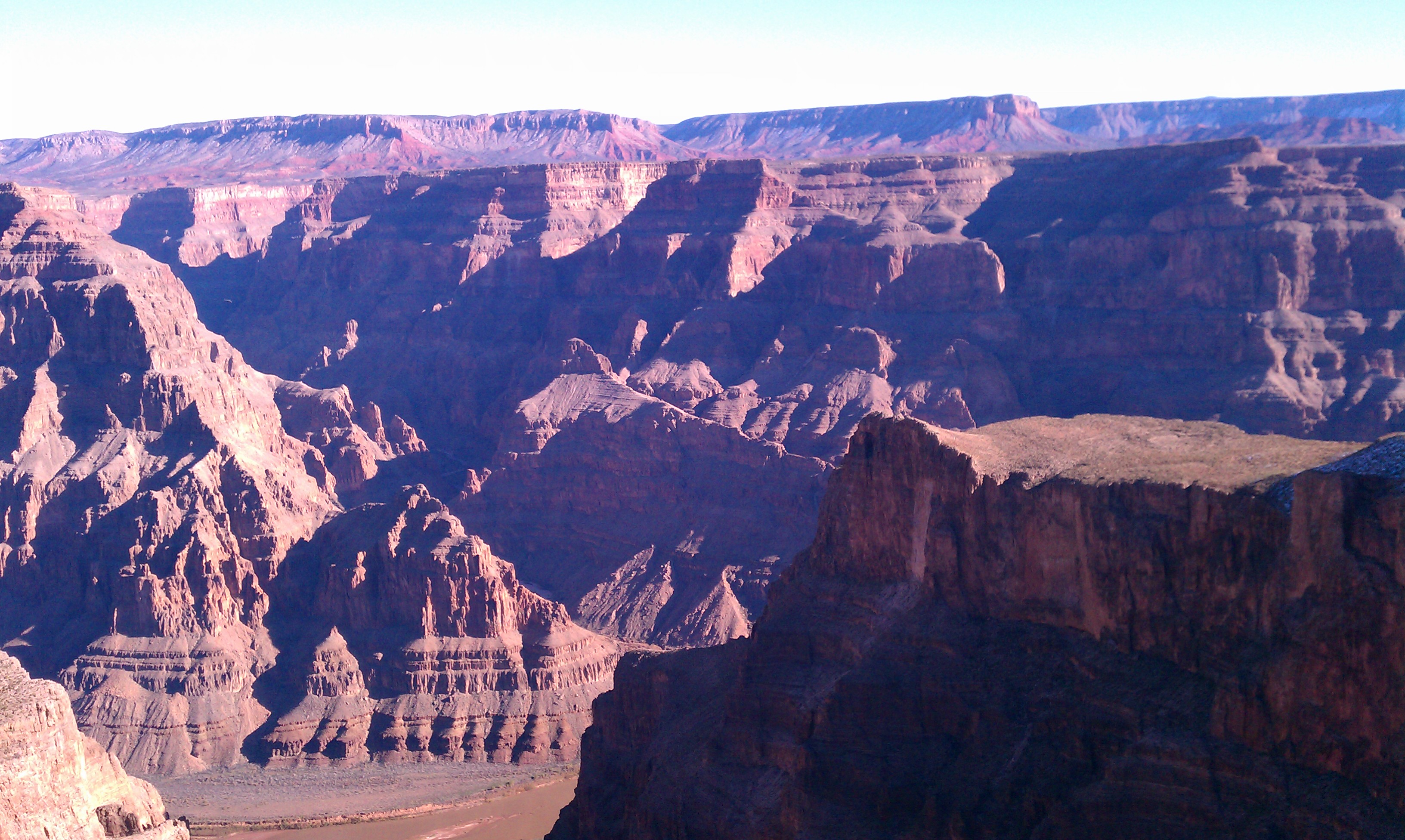
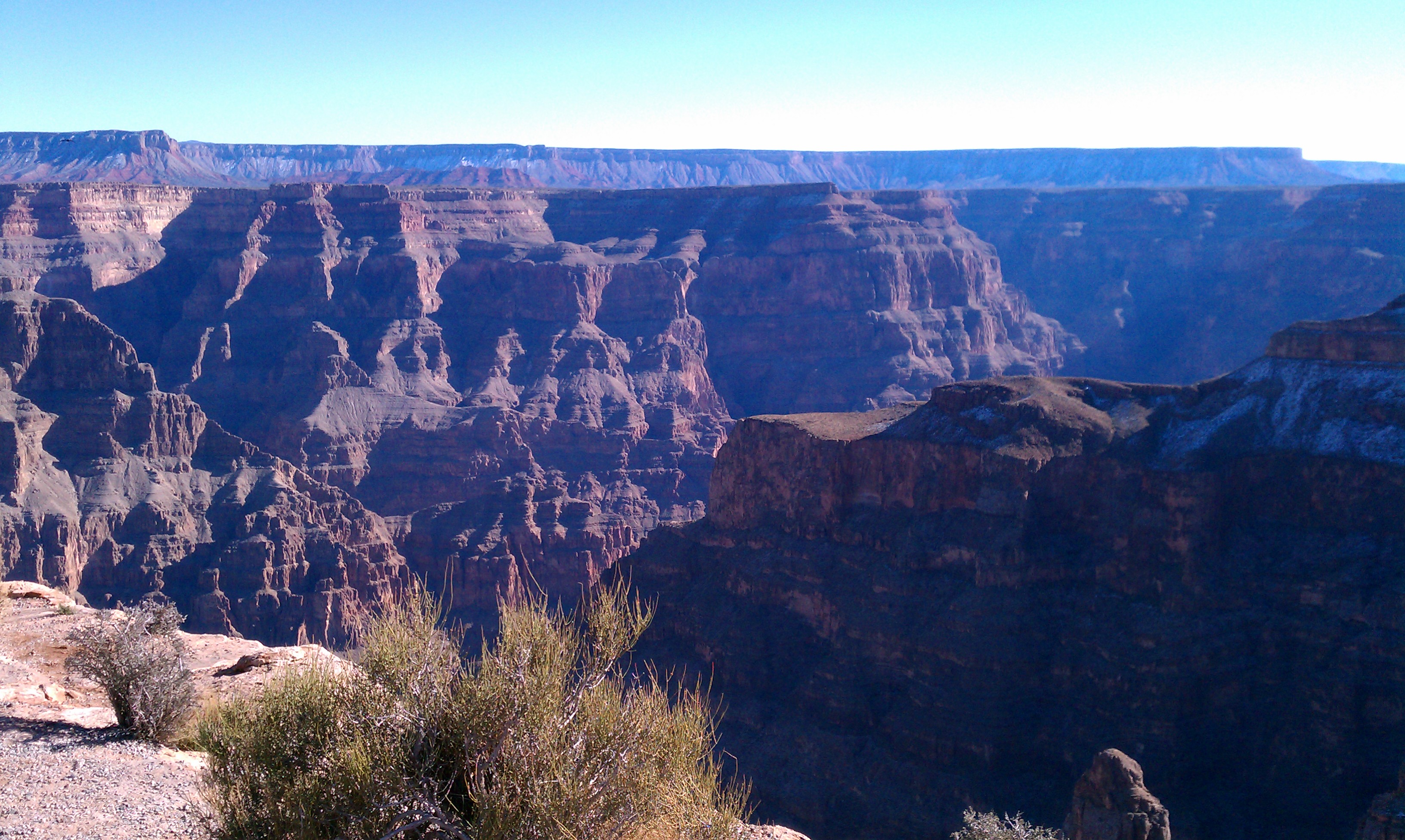
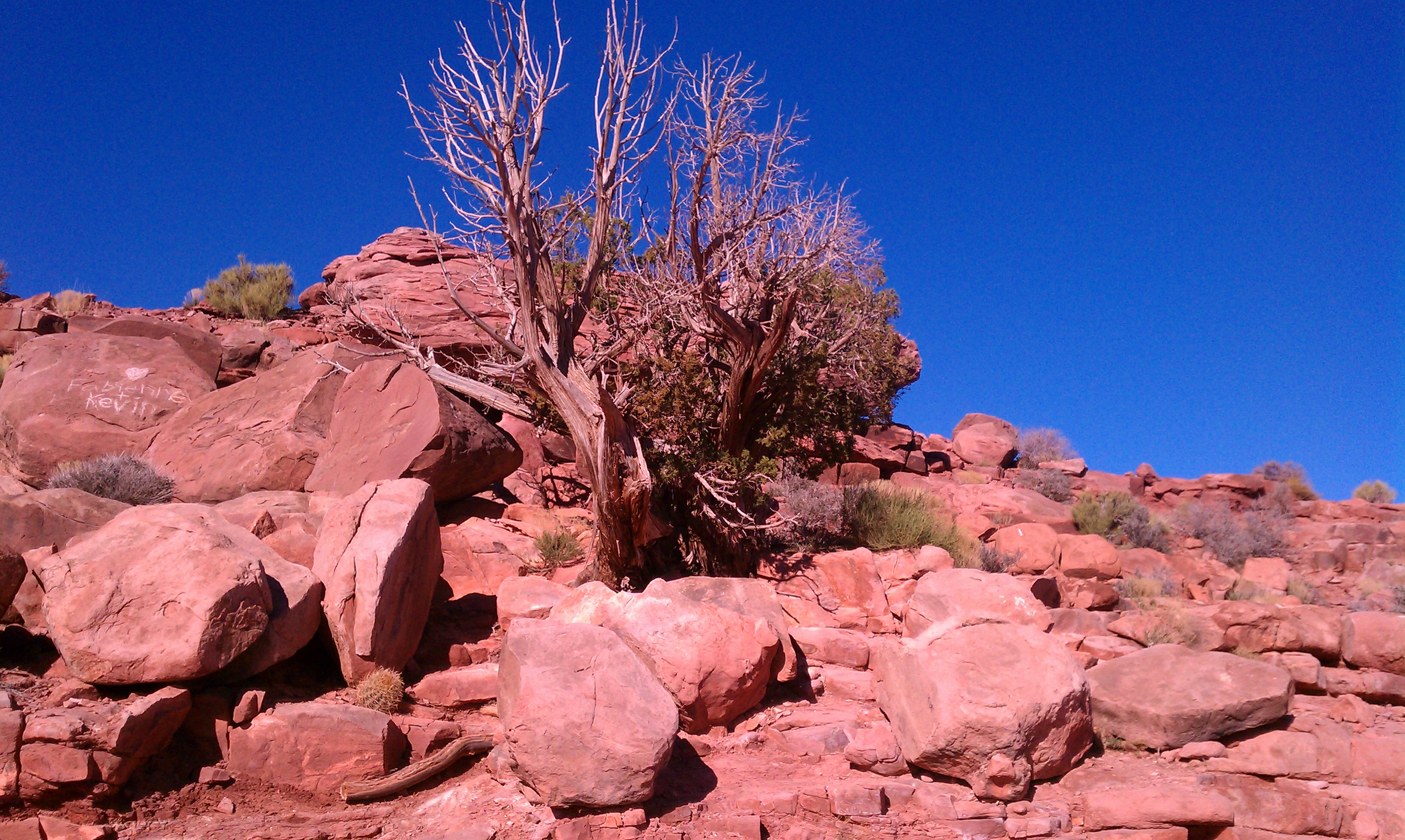
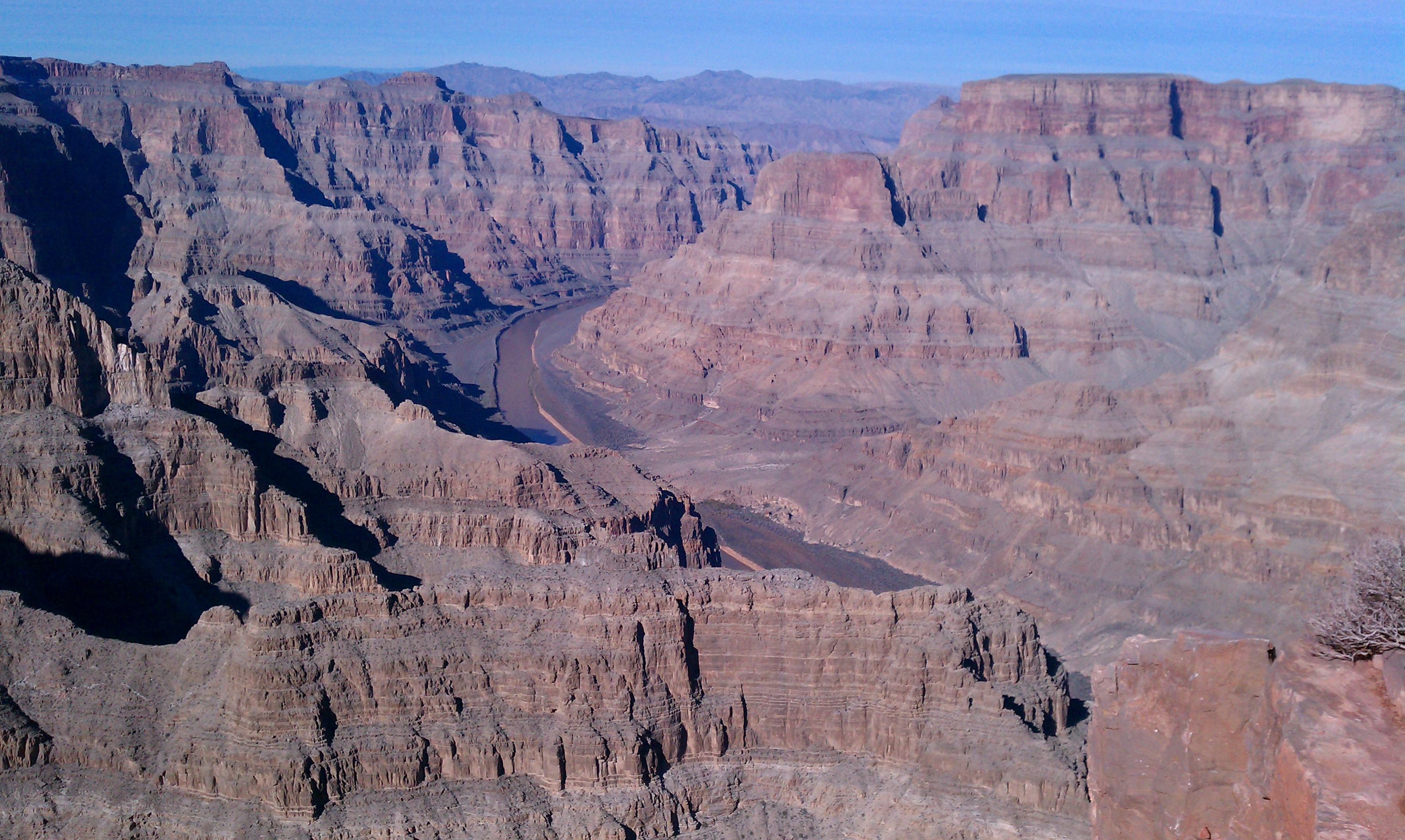
I’ll stop the narrative here, and just let you view the majestic splendor of the Grand Canyon, carved by the Hand of God.

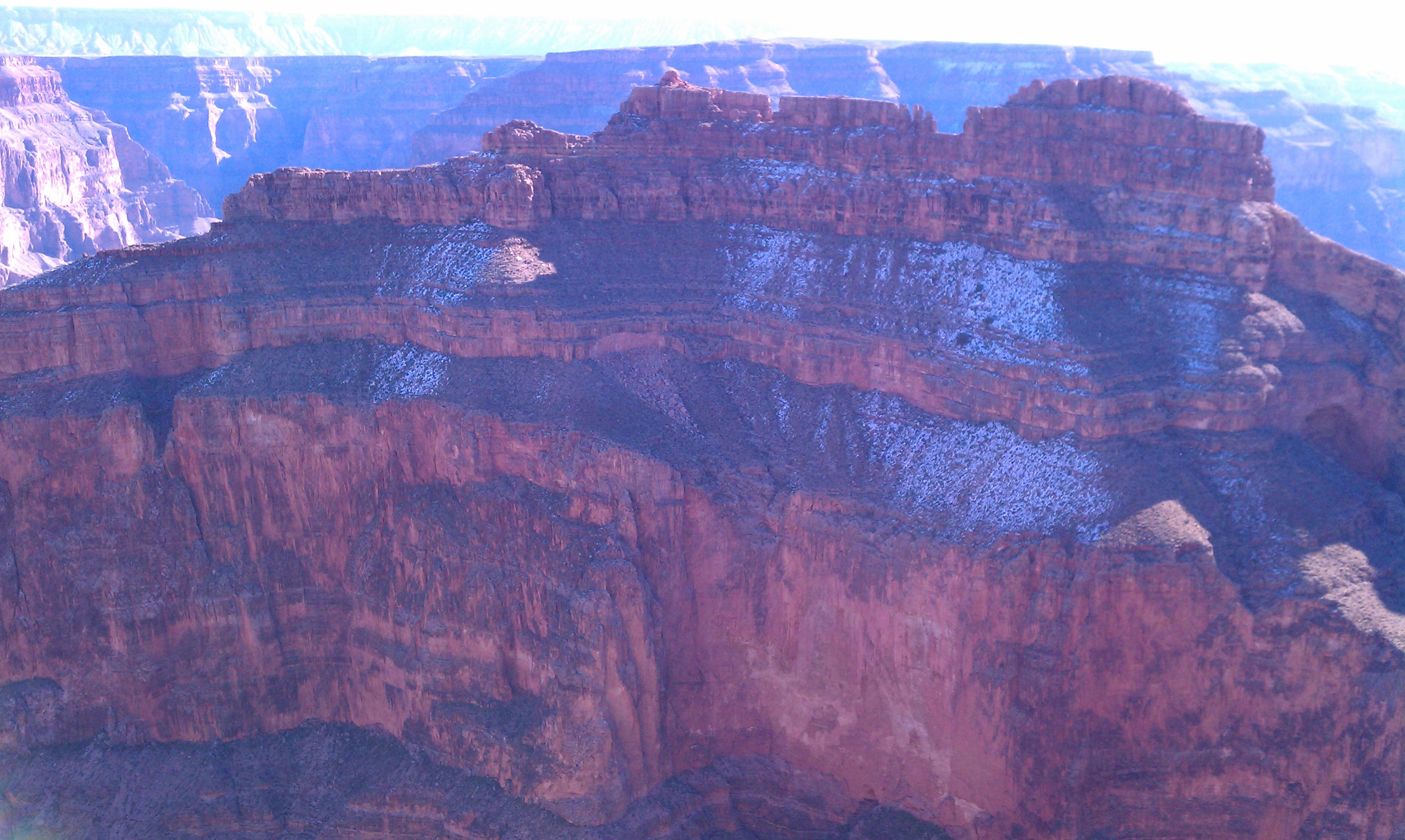
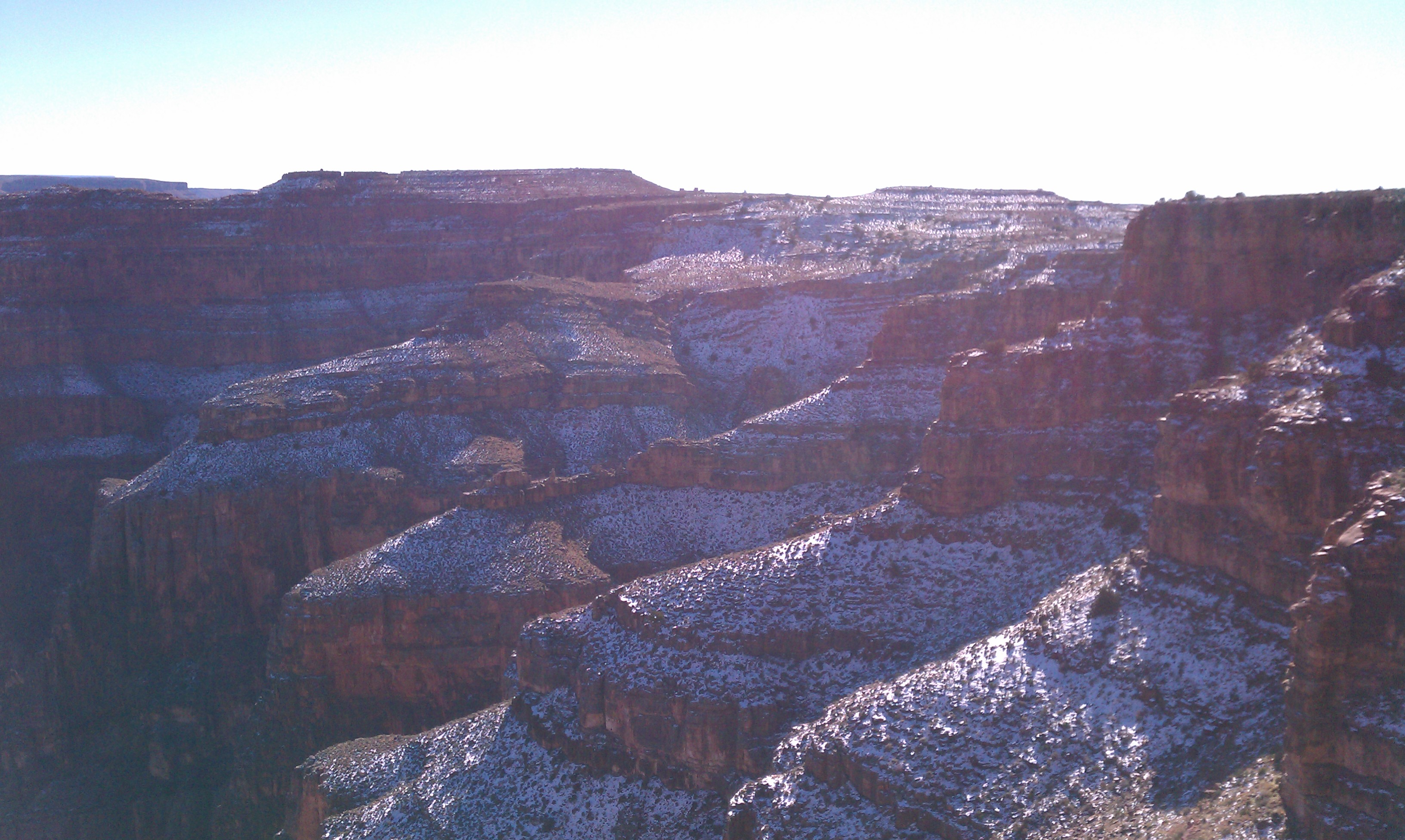
A bit of snow on the canyon

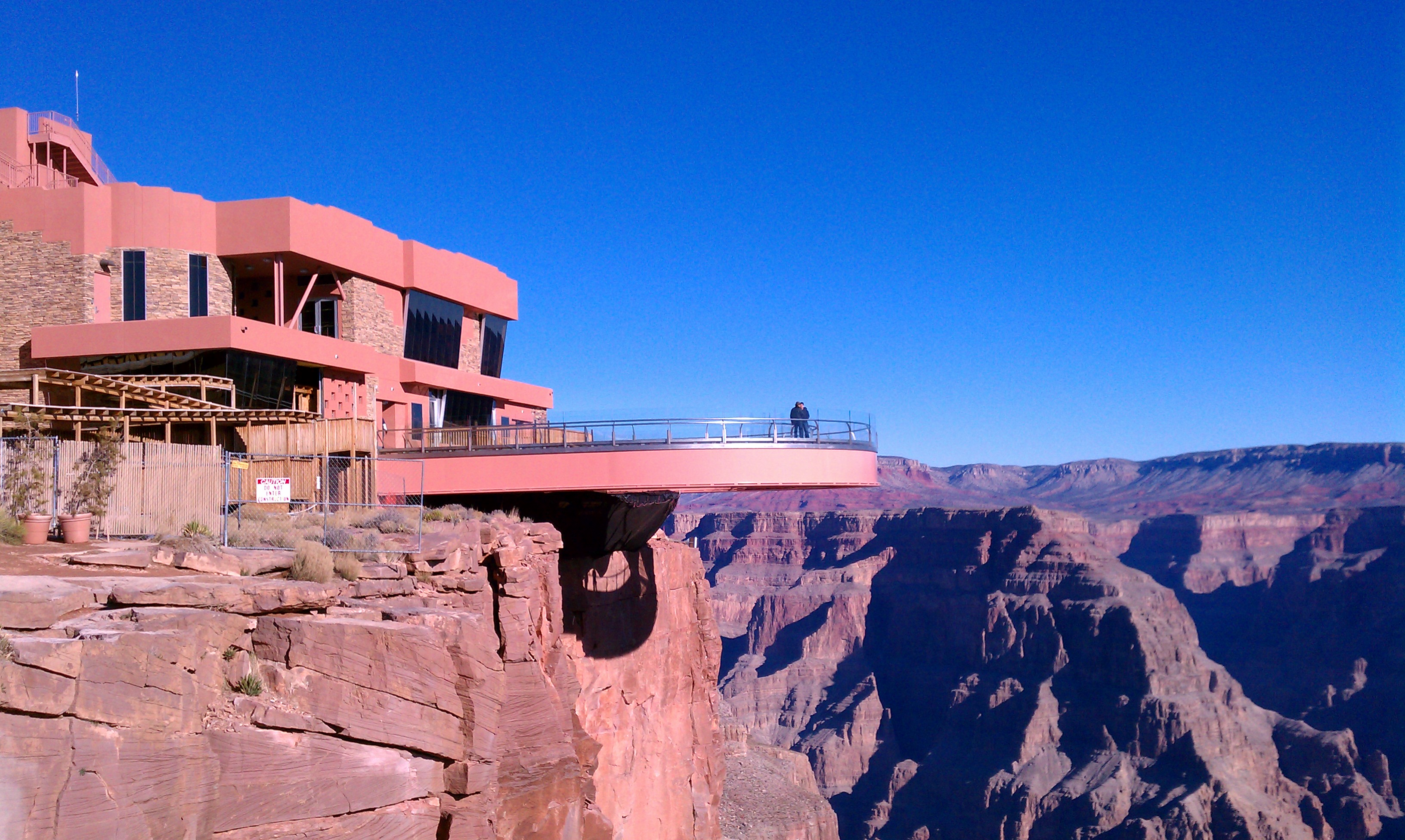
The Skywalk

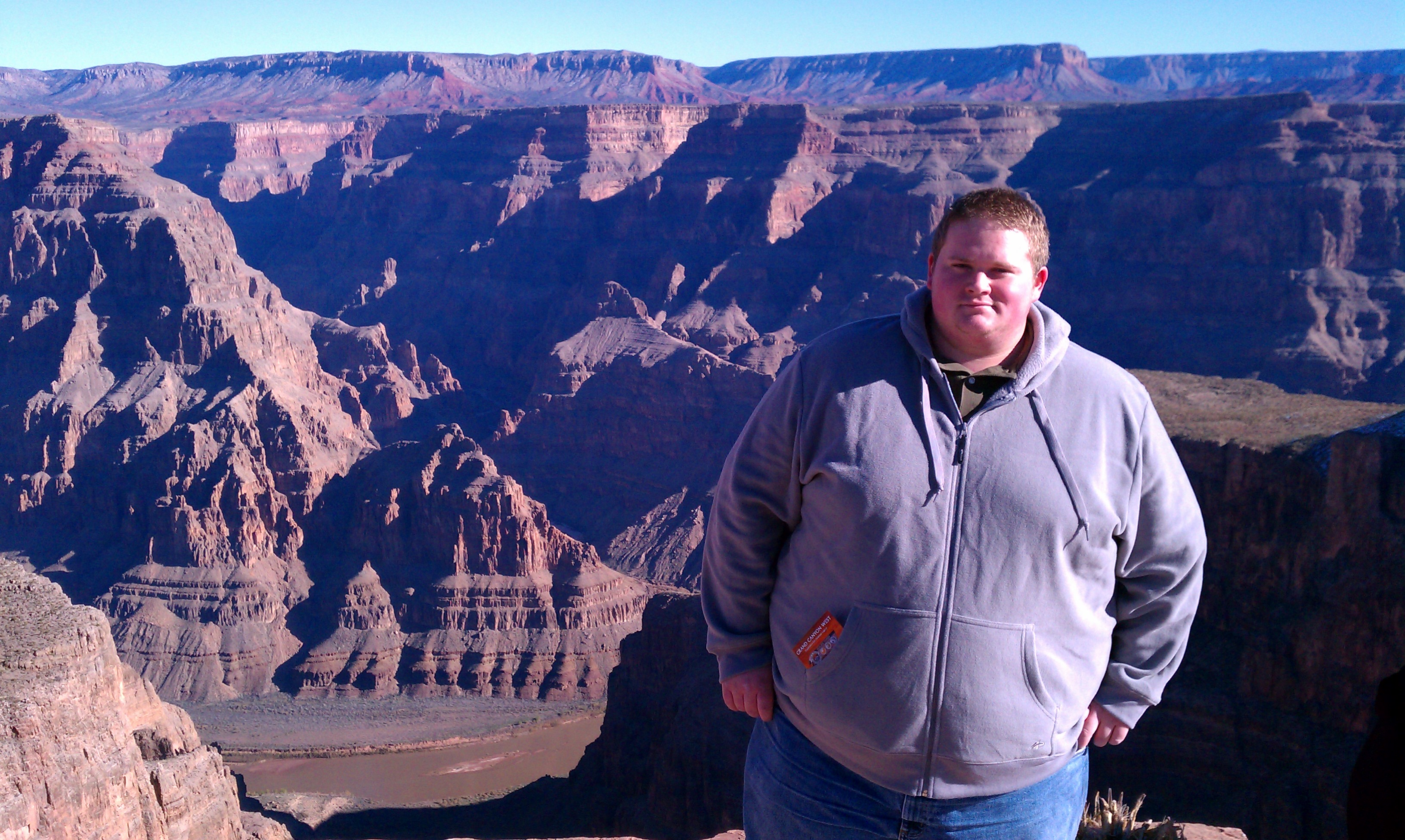
Me in Front of the Canyon

More Canyon Snow

My New Desktop Background

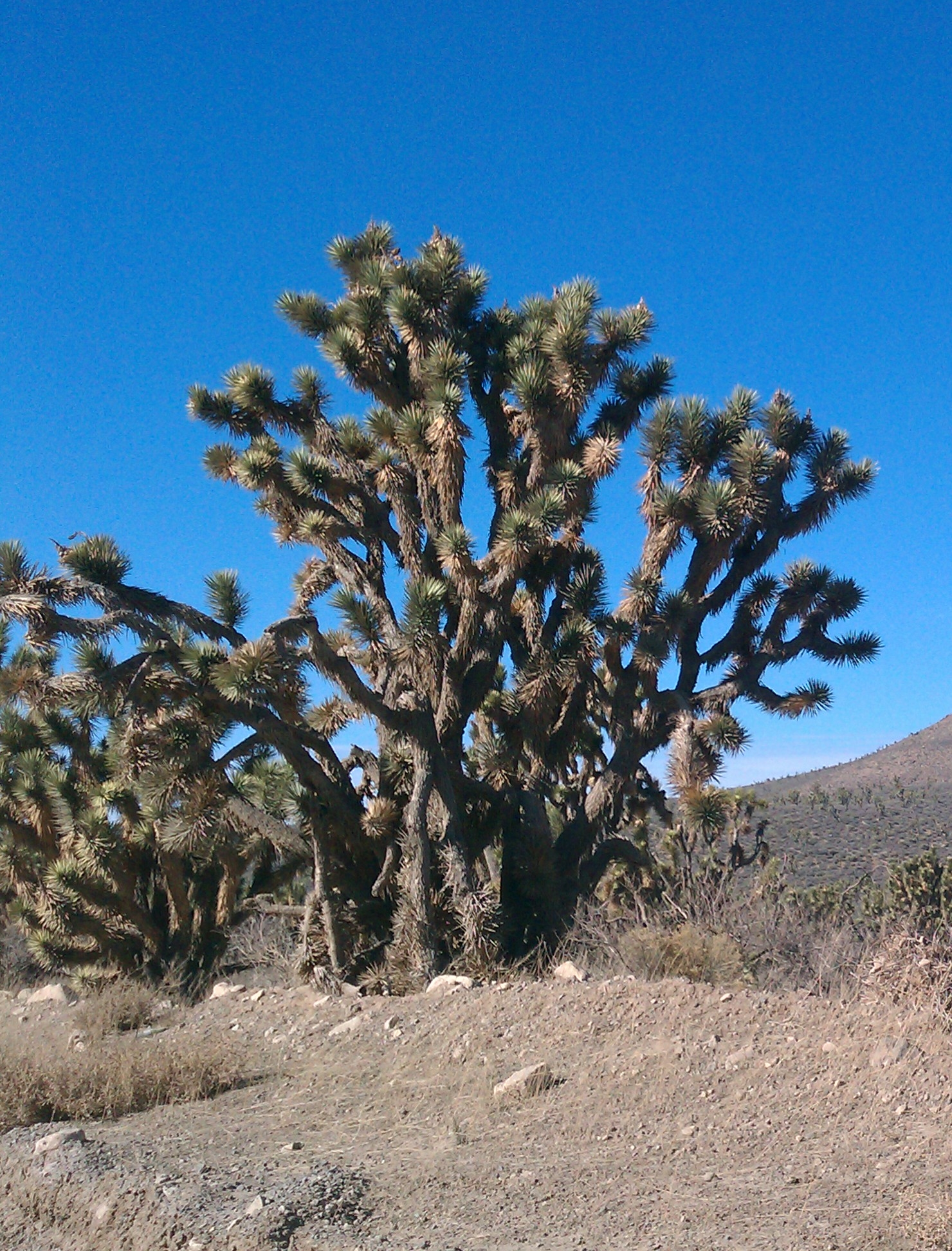
Joshua Trees

Joshua Tree

December Site Statistics

Hello, friends.

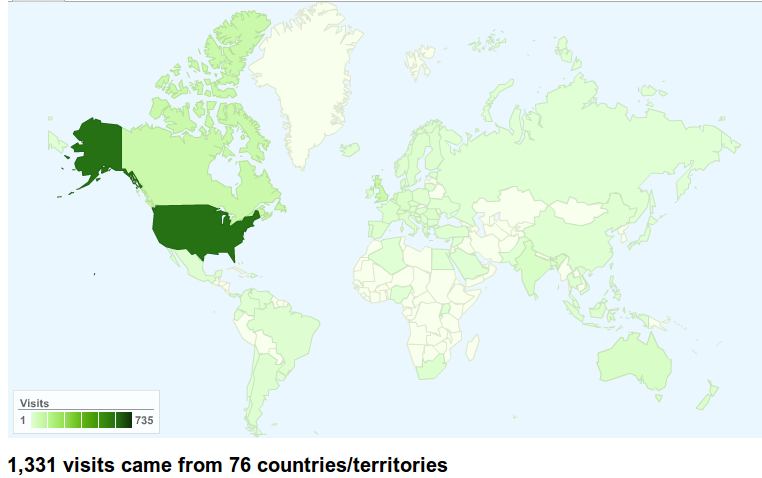
Just a quick update with some site statistics. My site officially launched on December 6, 2010. As of December 31, 2010, my site had 1331 visitors from 76 different countries/territories according to the delightful Google Analytics.

My site had been viewed mostly by friends and acquaintances of mine in its early days. I promoted my new blog posts via my Twitter account (@russhollander), my Facebook page, and (later when I remembered it) my LinkedIn account. Feel free to add me on any of these social media platforms.

Then I published my “Why I Use Linux” post on Thursday December 30. Like all my posts, I scheduled it to appear online at 6AM, although it had been written the night before. Up to that point, my site had about 250 viewers from 4 countries: United States, Canada, United Kingdom, and the Netherlands. And based on Google Analytics, I could typically guess which of my friends or relations had been viewing my site based on what cities were represented in Google Analytics. For example, I have a friend living in Vancouver, BC. I’m pretty sure he was the one visitor from Vancouver, although I could have been wrong.

Around 9AM on Thursday, December 30 I submitted my blog post to one of my favorite Linux news sites: LXer.com. It was approved shortly thereafter, and the hits started rolling in. Even more exciting, people started commenting on my post, and I commented back. It was great to participate in the Linux community as an article publisher for a change, rather than an article reader as I normally am.

I’m really excited that such a large number of people from all over the world were interested enough in my article to follow the link, and I’m extremely grateful to the people that commented and shared the article via Twitter, Facebook, and other means. Thanks readers. I hope that in the future I will continue to write stuff worthy of your consumption.

I’m proud to say that more than 50% of my visitors are using Linux when they visit my site, although this isn’t surprising since so many of my visitors were coming to read an article about why I choose to use Linux. Firefox is the most popular browser choice out there, with Chrome (and its derivatives) coming in second. The Chrome statistics are slightly skewed though because I’ve done all my site administration using Chromium, so the Chrome numbers are inflated.

Operating System Statistics

Browser Choice Statistics

Thanks everyone for visiting and reading. This is very encouraging for someone new to the blogging scene. Now, if I could just coerce someone from North Dakota, South Dakota, Rhode Island, and Mississippi to visit my site, I would have visitor representation for all 50 US states.

Things to look forward to in January: posts about my upcoming trip to the International Consumer Electronics Show in Las Vegas, posts about my first day at my new job, and exciting/intriguing miscellany. As always, I appreciate your comments, so feel free to post them below.

Have a good one.

Driving to Las Vegas

As I mentioned in my previous Life Update post, I have the opportunity to go to the International Consumer Electronics Show in Las Vegas. The show is between January 6 and 9. In my insanity, I am considering driving out to Las Vegas rather than flying.

I didn’t book flights and hotels back in October when I got my CES tickets because I did not know what I would be doing in January. As fortune would have it, my new job starts on January 24, so I will be able to attend the show, but at this late date, flights are quite expensive. Not only that, I don’t like flying. I prefer driving whenever possible because when I’m driving, I feel like I have more control over my destiny. Nobody has to feel me up, I don’t have to go through any security features, and I can arrive and depart whenever I choose.

Another reason I want to drive is that I wanted to go on a Great Southern Road Trip after I graduated, but it was the middle of August, and that time of year is pretty hot in Texas, New Mexico, Arizona, and Nevada. I also couldn’t work out the logistics because I was in the process of moving up to KC. This is an opportunity to make that road trip happen in temperatures much more pleasant in my mind.

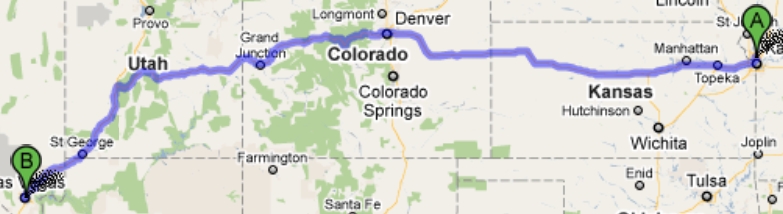
I am considering three routes. According to Google Maps, the shortest route by total travel time to go through Colorado and Utah. I’m calling this the Northern Route. I’ll also have the misfortune of driving across the entire state of Kansas, which is not always enjoyable. What concerns me about this route is the Colorado portion. I’ve never traveled through Colorado in Winter, but I understand they get a little bit of snow over that way this time of year. The halfway point for this route is Vail, CO, and I’m sure a night at a motel in Vail won’t be expensive during skiing season (note the sarcasm).

Northern Route

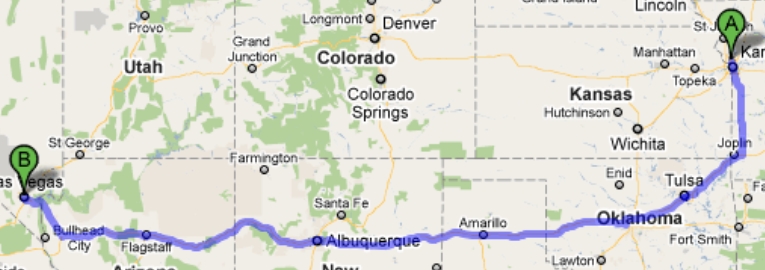
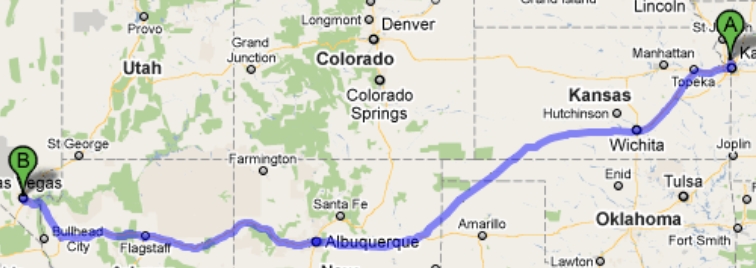
The other two routes I have dubbed the Southern Route and the Middle Route, although the Middle Route isn’t that different from the Southern Route. Either way Tucumcari, NM is the halfway point. On the Southern route, I would drive down through Joplin, Tulsa, and over through Amarillo, TX. If I take the Middle route, I’d be going through Wichita and just catch the edge of the Oklahoma Panhandle and Northern Texas. Even taking this route I’m sure I’ll have to face possible Winter difficulties while crossing the Rockies.

Southern Route

Middle Route

I think on the way out to Las Vegas, I’m going to take the Middle Route. On the return trip I may consider taking the Northern Route, but I have a feeling that January will not be the best time to attempt this. I’ll be driving my Jeep, which is “Trail Rated,” whatever that means, so I feel confident that I’ll be able to handle whatever the road throws at me other than blizzards. If any of the roads are closed that will obviously slow or halt my progress. As I said, I don’t really know what to expect driving through this part of the country this time of year.

Anybody with travel experience on any of these routes in Winter, or knowledge of what travel conditions are usually like, let me know. I’m looking forward to this adventure, I just hope that I can pull it off in the Winter months.